Only 2% of Web Users Use RSS?

Depressing but not surprising.

A Reuter’s article titled “Untangle the World Wide Web with RSS” by Robert MacMillan explains what RSS is and goes on to discuss why so few people use it:

So, why are so few people using it?

Only 2 percent of online consumers bother, according to Forrester, and more than half of that group is 40 years old or younger.

For starters, the name is deadly for attracting “average” Internet users — people who use the Web and handle e-mail, but quail at inscrutabilities like “service-oriented architecture” and “robust enterprise solutions.”

Then there are the orange buttons you find on Web pages. Clicking one produces a jumble of computer codes. It’s hardly the path to popularity.

I have my own thoughts about this. After all, I’ve only recently developed my own way to use RSS effectively after several false starts with the technology. Here’s what I think (for that it’s worth):

  • Too many feeds have excerpts only, thus requiring you to go to the Web site to read the whole article. I admit that I’m guilty of setting up my feed the same way. (Two reasons: some of my posts are so long that they simply don’t “fit” in a Feedburner feed (which has a limited size) and many of my posts are format-intensive, making them less easy to read/understand in an aggregator window.) I’ve since resolved that issue by using my aggregator as a sort of “index” to new articles, allowing the ones I want to read to load in Firefox in the background while I browse new topics, and reading them when I’m finished browsing. That’s my technique, but it might not work for everyone.
  • Posts aren’t always easy to read in the RSS aggregator window. Much of a site’s formatting is lost — at least in my reader, Endo) and sometimes that formatting helps readability.
  • Not everyone likes to learn how to use new software that might make them more productive. I’m like that. After wasting so much time learning software I wound up not using, I’m very hesitant to learn new software I might not use either. That’s why it took me so long to get an offline blog editor, despite Miraz’s glowing praise about MarsEdit. (I wound up with Ecto; go figure.) And for the record, she was right — how could anyone maintain a WordPress blog without an offline post editor?
  • Some sites have simply too much content. I subscribed to RichardDawkins.net for a full 36 hours before I was overwhelmed with the number of new posts. While I find his area of expertise interesting (atheism), I simply cannot devote that much time to it. This, by the way, is the same reason I don’t subscribe to mailing lists.
  • If you don’t check your RSS aggregator regularly, you can easily be overwhelmed with the number of new articles to review/read. This is what caused my first few false starts. I solved that problem by deleting all of the preprogrammed subscriptions and adding just the ones I found and liked. (Which is why an article I wrote on Monday asked for suggestions.)

And, of course, I agree with the Reuter’s article author that RSS simply isn’t user-friendly enough to attract less experienced computer users. Clicking an RSS link or “orange button” doesn’t subscribe you to anything. It just displays the feed’s source code on the screen. How can that make any newbie comfortable?

But, given time, I think RSS will catch on and attract more users. It has to. With all the content out there, anyone serious about keeping up has to have a good tool to get all the links and summaries in one place. It finally sucked me in.

And, by the way, I now know why I don’t read the news on Reuters.com: they split each article up into so many pages that you spend more time clicking links for the next page than actually reading.
Tools to Help You Minimize Distractions on your Mac

So you can get things done.

The biggest source of distractions for me these days is my computer itself. There are just so many other things to do with it (blogging, researching stuff on the ‘Net, e-mailing, playing with images, etc.) than the things I should be doing (working on my Excel book, writing articles for Informit.com, taking care of accounting matters, etc).

Evidently, I’m not the only person with this problem. It was covered on MacBreak Weekly, one of the podcasts I’ve been listening to these days. A summary of some of the tools discussed on the program is covered on 43 Folders: “MacBreak: Minimize distractions on your Mac.”

My favorite: Spirited Away to hide inactive windows.

If you’ve got the distraction problem as bad as I do, good luck getting over it.

Sunrise & Sunset in iCal

Must-have data — at least for me.

It may sound strange to folks who live in the world of alarm clocks and wrist watches, but my life’s calendar is managed by the sun. I wake early — before sunrise this time of year — and I sometimes can’t do things until after the sun has come up. As a pilot, I also need to know when the sun will rise and set so I can schedule sunrise and sunset flights, night flights, and photo flights, all of which depend on the sun for timing.

Each year, I export the daily sunrise and sunset information from Time Palette, a shareware application that provides various almanac information, into a FileMaker Pro database I created, which turns the exported data into real dates and times. I then export the Sunrise and Sunset info as separate FileMaker Pro files. I import those into iCal Filter, which enables me to export them back out as iCal .ics files. I open those file to import the information into iCal, thus displaying sunrise and sunset times on my iCal calendar.

Although it seems like a lot of work, I only do it once a year and then I’m set for the entire year.

If you’re interested in the .ics files for your location, I could probably be charmed into whipping up the files for you in exchange for one of the items on my Amazon.com wish list. (I really like surprises.) I might even throw in the moonrise/moonset times; I’m working on adding them, too.

My New Year's Resolutions

The obligatory New Year’s Resolutions post.

Every year I make a New Year’s Resolution and every year I fail miserably at keeping it. Makes me wonder why I bother. I know a lot of other people don’t.

This year I have two New Year’s Resolutions:

  • Lose Weight/Get Fit. Yeah, that one. It’s the same one I’ve made for the past three years in a row. This year, however, I have a local gym membership and actually plan to use it. With a 90-minute workout 3 times a week and a more sensible diet, I can’t fail. (But we’ll see, won’t we?)
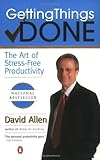
  • Getting Things Done: The Art of Stress-Free ProductivityGet More Organized. I am organized, but not nearly enough to keep my mind from getting stressed out when a bunch of things need doing. Mike bought me a copy of Getting Things Done: The Art of Stress-Free Productivity by David Allen. (From my Amazon.com wish list.) I started reading it last night and have already learned a lot of tips for handling the outrageous number of tasks that face me every day. I’m hoping it will help me become more organized so I can live life with a cleaner desk and a clearer idea of the tasks I need to complete daily.

So what I have here are the usual self-improvement resolutions. Yours might be the same. Or they might not. Care to share them with us? The Comments link is below.

Rewarding Reader Participation

Because reading blogs should not be a spectator sport.

Sometimes I feel as if I’m blogging to myself. I know I’m not — the stats show more than 3,000 page views a week here, which isn’t too shabby. But the people who stop by seem to read (or browse) and hurry on their way without offering any feedback on what they’ve read.

Now everyone has an opinion and I like to think that everyone has additional insight they can share on many topics. That’s what the Comments links are for. So, in an effort to encourage comments from readers, I’ve decided to experiment with a little giveaway.

At January month-end, I’ll give away one of my books to a randomly selected commenter who posted a comment on one of my January 2007 posts. The book is reader’s choice from currently available titles. If this little reward program is successful at getting site visitors to participate with useful, insightful comments, I’ll continue the program for each month with similar rewards.

Keep in mind that this applies to comments posted using the Comments link for a particular post on this site. (Feedback submitted via contact form is not eligible.) The comment must pass muster with our spam prevention software, so if you comment and your comment doesn’t appear within 48 hours, it’s likely that its content was considered spam.

What do you think about this? Don’t keep it to yourself. Use the Comments link.