Full Text vs. Summary Feeds

What the hoopla is all about.

It’s a hot topic among bloggers. Full feeds or Summary feeds? I’ve exchanged some words with a reader here about it, but I’ve always been sitting on the fence.

RSS Feed Basics

For those of you who don’t have a clue what I’m talking about, let me take a moment to cover the basics.

This blog (and its individual categories or topics) is available in two formats: HTML viewable in a Web browser and RSS viewable in a feed reader (or aggregator). The HTML format includes nicely designed pages (if I do say so myself), access to polls and comments, and full site navigation features. The RSS format includes just the most recent posts in whatever format a subscriber’s feed reader displays them in.

The benefit of the RSS format is that content is automatically delivered to subscribers as it is published. There’s no need to visit the site to see what’s new. The feed reader will automatically gather all new content for reading at the subscriber’s leisure. You can learn more about RSS on Feedburner’s Feed 101 page.

Full-Text vs. Summary Feeds

Bloggers normally have the option of creating feeds as full text feeds or as summary feeds. (To set this option in WordPress, go to Dashboard > Options > Reading. We provide full instructions in our WordPress book.) A full text feed publishes the entire content of each post to the feed, making it unnecessary for the subscriber to come to the source Web site. A summary feed publishes just the beginning of each post to the feed, making it necessary for the subscriber to come to the Web site for the remaining content of each post he wants to read. (In WordPress, this is only the first 55 words.)

It’s pretty well established that full text feeds attract more subscribers than summary feeds, so if getting more subscribers is a blogger’s goal, full text is definitely the way to go. But full text feeds have several drawbacks that have kept me from jumping on board:

  • Full text feeds eliminate the need for subscribers to visit the site at all. All your hard work on blog design is completely wasted on feed subscribers.
  • Because full text feed subscribers are less likely to visit your site, they’re also less likely to comment on entries. This reduces the interactive aspect of your site. I think this is a serious problem, since RSS subscribers are more likely to have something constructive to say about technical topics, which is what I often write about here.
  • Because full text feed subscribers are less likely to visit your site, they’re also less likely to click ads there, thus potentially reducing your revenue stream. (Of course, it’s a valid argument that RSS subscribers are more tech savvy and less likely to click ads in the first place.)
  • The appearance of feeds in a subscriber’s feed reader is dependent on settings within that reader. As a result, entry formatting can be lost, resulting in ineffective appearance to the reader. For example, headings may show up as boxes in the margins rather than as headings.
  • Full text feeds are more likely to be scraped by splogs. That means your content may be used by “bloggers” to build content on their advertising-heavy sites, as well as link farms and other unsavory Web traffic-generating or revenue-generating schemes.
  • If you write very long entries or include many posts in your feeds, you could reach feed length limitations with FeedBurner (if you use it).

For summary feeds, the only drawback is that they’re less likely to get subscribers since a lot of folks don’t think it’s worth subscribing to a feed if the entire content does not appear in their feed reader.

Sitting on the Fence

With all of this in mind, I’ve been using summary feeds since I switched to WordPress about a year ago. I haven’t been very interested in building the number of subscribers. This drew a lot of flack from a subscriber, especially when I couldn’t make up my mind and switched back and forth between the two kinds of feeds over the period of a number of weeks. I assume that she dropped her subscription when I stuck with summary feeds.

Now I’m more interested in building my subscriber base. So I’ve switched back to full text feeds. It’s been about a week, and my feed has already been scraped once, with a pingback that I assume was supposed to help the scraper’s Google placing. (I deleted that pingback comment as soon as I found it.) One subscriber (Miraz) has already joyfully commented on the switch. Others haven’t commented. I don’t expect them to, since there’s no way to comment from within the feed reader software (see drawback list above).

Anyway, I’m encouraging subscribers now and it’s a full text feed, so I invite you to subscribe. But please do stop by once in a while to share your comments with other site visitors.

March 6, 2011 Update: After a long run with full-text feeds, I finally switched back to summary feeds. I just got tired of seeing my copyrighted work automatically re-blogged on sites created by feed scrapers.

Bill Gates on the Daily Show

I have to add my two cents.

Although I haven’t seen a single word from the blogosphere yet this morning, I know what everyone’s probably typing (or has typed): Bill Gates is a dork.

I’m not writing this to make fun of Bill Gates. I’m just writing this as a statement of opinion based on observations during last night’s Daily Show interview.

Okay, so he’s not really a dork. After all, he’s the richest man in the world. How can the richest man be a dork?

But he certainly comes off as a dork on television. Maybe that’s why he doesn’t do many television appearances. He certainly did not look comfortable sitting in the chair opposite Jon Stewart.

Microsoft Windows Vista Home Premium 64-bit for System Builders - 3 pack [DVD]Stewart was kind to him. He joked around with him and did a little gentle teasing about Microsoft and Windows, but he certainly didn’t stick the knife in or zero in on the man’s dorkiness. And Bill Gates joked back — at least a little. There’s definitely a good brain lurking inside that dorky exterior. But I laughed out loud when he pushed his glasses up on his nose. (I’ve been using a Mac long enough to remember the Bill Gates screen saver, which showed a cartoon character of Gates on a window-washing scaffold cleaning the screen. One of the configuration options was to set the “neurotic” level; the more neurotic, the more he’d push up his glasses.)

The interview took up two of the show’s three segments. There was more comedy than actual information — which is what you’d expect from The Daily Show. I still don’t quite understand why Gates appeared on that show and not something more mainstream. It certainly increases my respect for him. Anyone who appears on The Daily Show or The Colbert Report has guts. Stewart and (especially) Colbert can make a guest’s head spin when they want to. (Colbert is famous for making politicians look incredibly stupid in an interview.)

Anyway, I’m sure there’s much better analysis of the interview out on the blogosphere. I’ll probably find a bunch of good links later on today and add them to a links list entry.

I do want to add one note. As Bill Gates walked on stage during The Daily Show last night, he reminded me of someone. (Mind you, I haven’t seen any live-action footage of Gates in years and my brain isn’t wired well to recognize faces.) My mind started searching for the identity of the person he reminded me of. Kind of chunky, short hair, glasses. And dorky, of course. Who?

John Hodgman. The PC.

Why You Shouldn't CYA

A story with a moral.

My friend Tom sent me this one, which was accompanied by an image of the donkey from Shrek (not included so I don’t get my butt sued off by Disney or whoever owns Shrek). As usual, if anyone knows the author of this, please send me the info so I can give proper credit. – ML

One day a farmer’s donkey fell down into a well. The animal cried piteously for hours as the farmer tried to figure out what to do.

Finally, he decided the animal was old, and the well needed to be covered up anyway; it just wasn’t worth it to retrieve the donkey.

He invited all his neighbors to come over and help him. They all grabbed a shovel and began to shovel dirt into the well. At first, the donkey realized what was happening and cried horribly. Then, to everyone’s amazement he quieted down.

A few shovel loads later, the farmer finally looked down the well. He was astonished at what he saw. With each shovel of dirt that hit his back, the donkey was doing something amazing. He would shake it off and take a step up.

As the farmer’s neighbors continued to shovel dirt on top of the animal, he would shake it off and take a step up.

Pretty soon, everyone was amazed as the donkey stepped up over the edge of the well and happily trotted off!

Life is going to shovel dirt on you, all kinds of dirt. The trick to getting out of the well is to shake it off and take a step up. Each of our troubles is a stepping stone. We can get out of the deepest wells just by not stopping, never giving up! Shake it off and take a step up.

Remember the five simple rules to be happy:

  • Free your heart from hatred – Forgive.
  • Free your mind from worries – Most never happen.
  • Live simply and appreciate what you have.
  • Give more.
  • Expect less.

Now enough of that crap.

The donkey later came back, and bit the farmer who had tried to bury him. The gash from the bite got infected and the farmer eventually died in agony from septic shock.

MORAL FROM TODAY’S LESSON:

When you do something wrong, and try to cover your ass, it always comes back to bite you.

The Planets

A history of the planets.

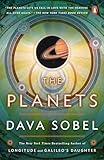
book coverMiraz was kind enough to get me two items from my Amazon.com wish list. One of them was The Planets by Dava Sobel. It’s a kind of history of the planets — when they were discovered, how they were named, what’s important about them from a historic point of view, and more.

The book is full of fascinating details. For example, did you know that Charles Darwin traveled onboard the H.M.S. Beagle at the age of 22 to be a “gentleman’s companion” for the captain? And that the Beagle’s 1831 mission was to map the coastline of the New World?

Or that Uranus, which was discovered by Sir. William Herschel in 1781, was at first thought to be a comet?

Or that the four largest moons of Jupiter, which were discovered by Galileo in 1610, were named for Florentine Prince Cosimo de’ Medici — a ploy Galileo hoped would get him a position in the Tuscan court? (Surely you must know that Galileo was jailed by the church for his theory that the earth revolved around the sun.)

The book offers plenty of science, too. In reading it, you can learn about the composition of the Sun, planets, and important moons of the solar system (including ours). You can learn about how long it takes for each planet to rotate around its access and revolve around the sun. You can learn about exploratory fly-bys and landings and what the planets look like.

About the only thing the book doesn’t provide are photos. The author goes into great detail about how the planets look to the exploratory vehicles that have photographed them, but doesn’t include a single photograph. Yes, there’s original artwork for each body’s chapter and it’s certainly quite attractive and interesting, but there aren’t any photos to accompany the author’s descriptions. To me, that’s a major shortcoming in this book.

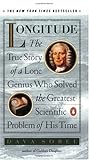
book coverbook coverA side note here. I’ve read two other books by Dava Sobel: Longitude and Galileo’s Daughter. The edition of Longitude I read was hardcover and richly illustrated with photos, drawings, and more. (I regret giving it away; I would like to read it again.) An excellent history of the importance of longitude for navigation and the work of a man to create a perfect timepiece for shipboard use. Galileo’s Daughter was interesting but not quite as enjoyable for me. It consisted primarily of letters from his daughter, a nun, that helped tell part of his life story.

What’s clear to me from reading three of Sobel’s books is that she has a talent for making history interesting and readable. I highly recommend her work. But whenever possible, go with illustrated editions. I really think they make the books come alive.

The Importance of XHTML Validation

When will I ever learn?

Miraz has told me again and again — validate your pages after making changes to your WordPress theme templates. She even advised readers in our book, WordPress 2: Visual QuickStart Guide. And every time I validate, I find errors, proving that it’s a step I really do need to take.

Yet I continue to skip this step when I tweak my theme’s template files on every single blog I run.

This morning, I got an e-mail message from someone named Tine who wrote:

I’m completely new to WordPress but found your site because of the book you have made and was curious.

Are you aware that your blog don’t look good in Explorer 6? Some of the text to the left is cut off.

I use Explorer 6 on XP Pro and 1024×768.

Uh-oh.

I fired up my PC and loaded up my home page in Explorer 6. The situation was worse than Tine reported. What appeared did not look much like my site at all. And in the status bar, Explorer was politely telling me that page had errors but didn’t offer any way to find out what they were.

My first instinct was to panic. But then I remembered the XHTML validator at http://validator.w3.org/. I ran the page’s URL through the validator and settled down to find and fix the 110 errors it found.

Sheesh.

The main culprit in this case was some code I’d inserted into my post.php file to display RSS links beside category names in each post’s header. This rather slick piece of coding, which I was pretty proud of, contained the dreaded unencoded ampersand error. That means I’d included & in the code when I should have included & in the code. That error was all over the place, but Explorer seemed to be choking on it in the new code. When I fixed its first occurrence and reloaded the page in Explorer, the page appeared fine, although the status bar smugly reported that there were still errors in the document.

Other problems included

    and tags without

  • and tags. Oops. And

    tags without tags. (It appears that ecto was causing that problem in the way it codes Technorati tags. Good thing I’m not using tags in my posts anymore.) Of course, all my Amazon.com book cover links were missing alt attributes. And some of my rotating ads used IMG instead of img for coding. The list goes on and on.

    Of course, if I’d been validating the XHTML after each template change as Miraz recommends, I would have caught these errors as I introduced them. I wouldn’t have spent my Sunday morning debugging code.

    Have I learned my lesson? I think so. At least for a few days.