Royalty Statements

What my quarterly royalty statement tells me.

I make my living as a writer. Sure, I do other stuff and bring in money doing it, but when it all gets down to dollars and cents, the money I receive from writing is what pays the mortgage and puts food on the table.

With a new royalty statement in my hands, I thought I’d take a few moments to explain to folks interested in writing how the royalty part of writing works and what can be learned from a royalty statement.

How a Typical Writer Receives Income

Money from my writing work comes in three ways:

  • Payments for articles. When I write an article for publication, I normally get a check within 2 to 4 weeks of publication. The amount is agreed upon in advance, so I know what to expect but not exactly when to expect it.
  • Advances for work in progress on books. When I sign a book contract, it includes a payment schedule for advances. I like my advance paid in three or four installments that are due when certain parts of the book are submitted to my editor(s) — in other words, when I achieve completion milestones. A typical arrangement might be 1/3 on signing, 1/3 on 1/2 completion, and 1/3 on completion. Depending on the publisher, the checks usually arrive within 2 to 4 weeks of the milestone. Again, I know how much to expect but not exactly when to expect it.
  • Royalty payments. When I sign a book contract, it also includes a royalty percentage. The percentage is applied to the wholesale price of the book. So, for example, if the royalty is 12% and the book retails for $20 (about average for my books), the 12% is applied to the amount the publisher sold the book to retailers (or book clubs or direct order customers) for. A good rule of thumb is about 50% off the cover price. So I’d get 12% of about $10 or $1.20 per book. This royalty rate is applied to all sales of a title to come up with a royalty due. The amount of advance is then subtracted — remember, that was an advance on royalties — and if the result is a positive number, the book has “earned out” and I get a royalty check. My publishers pay royalties quarterly, although not on the same schedule. I know exactly when a royalty check will come — well, within 3 days of an exact date — but I never know how much I’ll get.

After doing this for 15 years, I’ve come to think of advances as my “bread and butter,” payment for articles as “fun money,” and royalties earned as “icing on the cake.” I won’t write a book unless the advance is enough to cover the amount of time and effort I put into writing the book. (I turned down two low-advance projects just last year.) This way, if the book doesn’t earn out, I’ll still make enough to keep paying the bills. If it does earn out, great. And since I don’t do a lot of work on articles — it’s just too much effort to get the work lined up — I don’t rely on that income for anything. That’s kind of unfortunate, because I can usually bang out one or two articles in day, so the income would really be great if I’d get get more of that kind of work.

As you can imagine, royalty statement time is a big event at my house — especially when Peachpit royalties are due. The statement comes in a big fat envelope. The reason: there are lots of pages. But one of the first pages of the package is the royalty check. And a quick peek tells me just how much icing I’ll have to spread around for the next three months.

How Many Books are on the Books?

The reason my Peachpit royalty statement comes in a big fat envelope is because there are lots of pages. The statement sitting in front of me right now is 61 pages long. I can’t even get a staple through it for filing.

The first few pages — 4, this time around — is a summary of the ISBNs covered by the statement. This list of ISBNs — 34 of them this quarter — are the books the publisher still has in its accounting system.

I need to make a distinction here between titles and ISBNs. A good example is right on the first page. My 2004 title, Creating Spreadsheets and Charts in Excel: Visual QuickProject Guide, is listed three times: the original title, the German translation, and the French translation. Sometimes translations get their own ISBN and sometimes revenue for a translation is listed for the main title. It depends on how the translation rights were sold. Also, since Peachpit is now selling PDF versions of some of my books, those versions appear on a separate line.

Still, a quick count of titles on this quarter’s statement shows 28 titles listed. Whew! Even I think that’s a lot.

In my case, the vast majority of my work these days is in revisions. So each statement might show multiple versions of the same book. This is especially true for titles that are still “alive.” For example, my America Online: Visual QuickStart Guides (a 2-part — Macintosh and Windows — nightmare completed for version 3.0 years ago) are “dead” titles. They came out, sold poorly, and were not revised. These book are dead and buried and the only reminder that I ever did them are the author copies of each book on my author copy shelf. But my Excel for Windows: Visual QuickStart Guide is alive and kicking — in fact, I just finished the revision for Excel 2007 this week. Three editions appear on my royalty statement: 2000, 2002, and 2003. (2007 will appear on the next statement.) And my Mac OS: Visual QuickStart Guide takes up the most lines: seven editions going back as far as the edition covering Mac OS 9.

For a title to appear on the royalty statement, it must be either earning money or losing money (by returns) with a more recent edition to suck up the losses. This is an important clause in book contracts — one that’s important enough to discuss in a little more detail here. Commonly known as cross-accounting or cross-deductions, it means that returns on one title can be applied to net revenue on another. So, for example, if my share of returns on an old edition of my Excel book was $43.54, that amount could be deducted from or charged to royalties on a more recent edition. That’s normally why books stay on royalty statements for so long — there’s still accounting for them.

It was kind of a good thing that my AOL books didn’t have more recent editions. Neither title earned out, so the money I was overpaid for those books could be deducted from future editions, had they existed. Instead, the publisher cut their losses by not doing new editions (a wise move) and simply stopped accounting for the existing books when the numbers stopped coming through. The books “fell off” my royalty statement.

(If you’re ever given the opportunity to negotiate a book contract, do not sign a contract with a clause that says all of your books can be pooled together for cross-accounting. (I don’t know the exact wording of a clause like that because I’ve had it removed from every single draft contract it appeared in.) Agreeing to this may prevent you from ever getting a royalty check if you write multiple titles for the same publisher and any or them are dogs. If you’re really lucky, you won’t even have cross-accounting for the same edition of a book — I was lucky to have that situation with one of my Quicken titles years ago. But I think it’s fair to do cross-accounting with different editions of the same book, so I don’t mind signing for it. I just brace myself for the returns every time a new edition comes out.

And returns, in case you’re wondering, are returns from retailers/wholesalers, not consumers. If Barnes & Nobel buys 1000 copies of a book and sells 200 of them in the time they allotted to give the title shelf space, 800 copies come back. That’s a bad thing for the author.

What the Summary Numbers Mean

Still with me? Here’s a bit more that the summary pages tell me.

For each ISBN, the summary page has 6 numbers:

  • Previous Balance is the amount owed to me (positive number) or the publisher (negative number) for the ISBN. There usually aren’t any positive numbers; if the publisher owned me money, they paid me last quarter. So books that are earned out show zero in this column. If I owe the publisher money — for example, the book hasn’t earned out or subsequent returns have put the ISBN in the red — that number appears as a negative value. Zero is good, negative is bad.
  • Earnings/Subsidiary Rights Earnings is what the book earned me during the quarter. That’s the royalty calculation applied to net sales. Positive numbers means they sold more books than they received in returns. Negative numbers mean they got more in returns than they sold. Positive is good, negative is bad.
  • Credits/(Deductions) is the amount paid out during the quarter for advances or, if the author is paying for indexing, the amount paid to the indexer. I’ve never seen a positive number in this column.
  • Cross Deductions is where they take returns from one title and apply them to royalties earned on another title. So, for example, if the net earnings on my Word X book were -$53.47, that amount would appear as a positive value in this column for that ISBN and a negative value in that column for a later edition — perhaps my Word 2004 book. If you add up the cross-deductions column, the net amount should be zero.
  • Payment Due is the net amount owed to me for the ISBN. This number is either zero or a positive number.
  • Balance Forward is the amount that needs to be earned out to get more royalties on the ISBN. It’ll be zero if there was a payment in the previous column or a negative number if zero was in the previous column. That value is carried forward to the Previous Balance column in the next statement.

Of course, this is the format Peachpit uses. Other publishers may use other formats.

So when I get a royalty statement, the second thing I look at is the summary. (The first is the amount of the check, of course.) The summary tells me which books are earning money for me. That’s usually current editions of books. This is where I can see at a glance whether a new title has earned out. I can also see which books are earning me the most money — the titles with bright and happy futures. The bigger the payment due on a title, the more likely that title will be revised in the future. (Unless the software publisher decides to kill the software, as Adobe did to PageMill years ago. That book was doing very well when it was killed.)

Sometimes I get pleasant surprises. For example, my Excel 2002 book is still selling. That book was published five years ago and it earned $262 for me this quarter. Okay, so that isn’t enough to host a big party, but it’s a nice thing, a good thing. After all, the average life of a computer book is 18 months. So to have one that’s still bringing in a few bucks for me after five years is great.

The summary statement also tells me which titles are dead. These are the titles with previous balances that are negative numbers and no revised editions to earn more revenue. Sometimes these titles have ugly negative numbers in the Earnings column, indicating returns. My QuickBooks Pro for Mac book is in this situation. Although it’s the only title covering that software, there simply aren’t enough users interested in buying a book to make the book earn out. So when my editor says the publisher is not going to revise the title, I can look at this royalty statement and understand why. The book is dead.

Want more detail? The summary pages are also a table of contents for the 57 pages that follow them. That’s where I can find information about units sold, subsidiary rights (like translation rights), and where the books were sold: U.S., Canada, Export, etc. To be honest, I don’t look at these pages for every title. Heck, I have enough to do in a day.

What I Learned this Quarter

Looking at the royalty statement is like peering into a crystal ball. I learned that there are certain topics I probably won’t be writing again and other topics I’ll be writing about for years to come. I learned which of my books is doing best for me (still Tiger, after two years!) and which ones I might want to promote a bit more to liven up.

But with 61 pages to review, that’s about all.
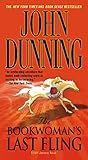
The Bookwoman's Last Fling

Disappointing.

Two or three years ago, I discovered John Dunning’s work. Dunning writes mysteries with a series character named Cliff Janeway. Former tough cop turned bookshop owner/operator Janeway narrates the tales of the book-related mysteries he solves. Along the way, the reader learns a little about collectible books and the world of bookshops.

Being the A.R. person I am, I always try to read an author’s books in the order in which they were written. This is extremely easy to do when borrowing books from the local library, since the librarians number each of an author’s books chronologically, right on the spine. In most cases, they’re even shelved in order.

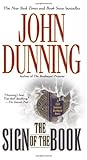
The Sign of the BookThe Sign of the Book was Dunning’s first Janeway book. I don’t remember why I picked it up, but once I started reading, I couldn’t stop. It was some of the best mystery fiction I’d read in a long time. A good plot, good characterization, and good dialog. I went through it quickly and felt extremely satisfied — but ready for more — when I was done.

I then began reading the rest of Dunning’s Janeway books. The second wasn’t quite as good as the first, but it was still very good. The third wasn’t quite as good as the second. That made it above average. The fourth wasn’t as good as the third. I was definitely seeing a pattern here. It was as if Dunning was steadily losing his touch.

The Bookwoman's Last FlingThe Bookwoman’s Last Fling was a disappointment, plain and simple. It’s difficult, in fact, to believe that it was written by the same author who penned The Sign of the Book.

The book’s plot was contrived — Janeway makes conclusions without proper evidence (a violation of the mystery writers’ rule of “fair play’) and his actions based on those conclusions steer the plot. For example, early in the book, he decides that he needs to spend time at a certain racetrack where a woman who died 20+ years before had spent a lot of time. Why? There’s no clear reason provided. Once he gets there, does he start doing the logical thing — asking questions? No. That comes later, after more illogical activities. Clearly, the character is driven by the author, not by the circumstances he’s put into.

The dialog was flat and unrealistic. One of the things I liked best about Dunning’s first Janeway book was the snappy dialog. It flowed and was fun to read. As a reader, I felt alone with the characters, “listening” to them talk. In this book, Dunning seems to be working too hard to get those words out, and that effort is quite apparent to the reader. I’m not alone with the characters; I’m alone with the author, who is trying desperately to communicate what his characters may or may not have said. And although I usually feel that an author’s words are sacred and shouldn’t be over-edited, an editor could easily have cut 30% of the dialog and the reader wouldn’t have missed a thing.

The dialog was also difficult to follow. I’ve read a lot of novels, but I’ve never had so much trouble keeping track of who was speaking. Many, many quotes are unattributed to their speakers. That wouldn’t be a problem if Dunning had stuck to the common writing convention of starting new paragraphs for each speaker. But in some instances, the same unattributed speaker speaks in two paragraphs in a row or the attribution is simply unclear. Never before had I wished to see a few more “he said” or “she said” phrases.

Characterization was also flat and lifeless. The characters didn’t come off the pages. Dunning told you their traits; except in a few instances, he didn’t really show you much. Character relationships weren’t brought out, either — even between Janeway and his lady friend. What is their relationship, anyway?

I feel bad about writing such an unfavorable book review for an author whose work I’ve admired in the past. But I have a sneaking suspicion that Dunning wrote this book — and likely some of his previous books — under pressure by editors to produce another big seller. Apparently, he didn’t have the book in him — at least not when he wrote it.

I believe that a writer has to be internally driven to write a book in order to produce good work. External pressures can’t squeeze a book out of an author who just isn’t in the right frame of mind to produce. In reading Dunning’s later work, I get the feeling that he just wasn’t ready to write when he did.

digg IT

A new plugin being tested here.

Although I have my doubts about digg, I’ve always been curious about whether my posts have ever been “dugg.” I’ve often seen buttons with digg counts on other WordPress Web sites. I figured it was time to try installing one on this site.

digg what?

digg, in case you don’t know, is a social bookmarking site that’s pretty popular among blog enthusiasts. You sign up for a free membership, then “digg” blog posts you like. If the post has never been dugg, you can be the first to digg it. Otherwise, you can just add your digg to the count of existing diggs. You can also add comments about the post.

Posts with lots of diggs — generally more than 100 — get lots of visits, mostly from people who monitor popular posts on the digg site. So, for a blogger, being dugg could be a good thing.

I say could be because if you’ve got a lot of diggs, your post could become so popular that hits exceed your bandwidth. That happened with podiobooks.com, which I learned about today. A note on its site says:

We’ve been Dugg and Lifehacked in the last 24 hours, and the site is experiencing a little oddness from time to time. We’re working on getting things stabilized.

That’s when you can get the site. You’re just as likely to get a Server Error 500 when you attempt to access. Oops. Hopefully, things will calm down for them enough for their server to handle incoming requests.

The Plugin

Getting the digg button on a post is a matter of installing a plugin and modifying the WordPress theme’s template code to add a new function.

I needed to find the plugin, so I used by friend Google to search for digg wordpress plugin.

I first found Digg This, which was at the top of the list. I wasted no time downloading and installing it. Unfortunately, I couldn’t get it to work. And when I scrolled through the list of comments, I discovered that I wasn’t the only one.

I decided to keep looking.

I then found digg IT (which may have been called Digg This in a previous incarnation). I downloaded and installed it. It worked immediately, perfectly. If I’m still using it as you read this, you’ll see it at the top right of each post.

(I say if because I might not keep it. Although it works like a charm, seeing so many posts with 0 diggs is kind of depressing. I have a post that’s been read over 3,000 times and still has 0 diggs. [sigh] You can help cheer me up by occasionally digging my posts.)

The installation required a single line of code to be inserted in The Loop, right before the < ?php the_content(); ?> tag:

< ?php if(function_exists(digg_this)) { digg_this('', '', '', ''); } ?>

It’s a nice piece of code because it checks to make sure the function exists before actually calling it. So if the plugin fails or is not compatible with a future version of WordPress, your site visitors won’t see an error message. I like neat code like that.

Unfortunately, the documentation does have a tiny error. It tells you to insert the code in your index.php file. If the < ?php the_content(); ?> tag for your theme isn’t in that file, those instructions could confuse you. In my case, that tag is in my post.php file. So you do need to have a little knowledge about your theme’s template files to install it properly. Just open them all up until you find the < ?php the_content(); ?> tag and you can’t go wrong.

Anyway, if you’re posts are dugg or you want them dugg, you might want to give this plugin a try. You can’t beat it for ease of installation and use.

March 26 Update: I removed the digg count from my pages. The zeros were really getting to me. If the site ever starts getting diggs on a more regular basis, I’ll put it back. For now, the code is just commented out.

Tumblelogs

I discover a new, abbreviated form of blogging.

One of the things I’ve noticed about my blog is that a high percentage of the entries are extremely wordy, full of stories or opinions or information that I’ve spent a lot of time thinking about, compiling, formatting, and publishing. And it seems that most serious blogs are the same.

Enter, the tumblelog, which has apparently been around since 2005. This short-form blog is ideal for quick and dirty entry posting. In fact, that’s what it’s supposed to be for.

From Wikipedia:

A tumblelog is a variation of a blog, that favors short-form, mixed-media posts over the longer editorial posts frequently associated with blogging. Common post formats found on tumblelogs include links, photos, quotes, dialogues, and video. Unlike blogs, this format is frequently used to share the author’s creations, discoveries, or experiences without providing a commentary.

I first heard of tumblelogs on either the TWIT or MacBreak Weekly podcast. Leo Laporte and other members of those two podcast teams use Tumblr to create and publish their tumblelogs. Curious, I went to check it out for myself. And, on the FAQs page there, I got a the analogy that sold me on trying it for myself:

If blogs are journals, tumblelogs are scrapbooks.

It might be nice to have an online scrapbook, I thought. I decided to sign up for a free Tumblr account and give it a try. The result is the unimaginatively named Maria’s TumbleLog, which can be found at tumblelog.aneclecticmind.com. (And yes, you can host a tumblelog on Tumblr’s site; I just got fancy and set mine up with my own custom domain name.) Since then, I’ve added entries that include photos and quotes. I’ve also set up my account to automatically create links to new articles in a number of feeds — including the one for this WebLog.

Although I like the ease at which entries can be added to my tumblelog, I don’t like the fact that there’s no offline composition tool. But I think that’s because I’m worried about composition — a task that simply doesn’t apply to tumblelog entries. Entries are extremely short and to the point: a photo with a caption, a quote with the name of the person being quoted, a link all by itself. While it is possible to create a standard text entry, I’m going to try hard not to — unless I can keep it to 100 words or less. That’s not an easy task for me — writing more has always been easier than writing less.

Will anyone read my tumblelog? I don’t know. Do I care? I don’t know that, either.

Right now, the idea is too new to me. I’m more interested in experimenting with this form of expression and seeing whether I can stick to it.

I’ve been blogging for 3-1/2 years now; it’ll be tough to branch some of that energy off to a similar yet very different form.

In the meantime, I’d be very interested in hearing from others with tumblelogs. Use the comments link. And be sure to include a link to your tumblelog in the form so other readers and I can check it out.

Death of a Manuscript

Dealing with the loss of my own unpublished words.

Last week, I discovered that a file containing the manuscript for a novel I was working on was gone.

The file lived in my laptop, which is what I was using to write it. It was backed up on my main computer’s hard disk. I had decided two or three months ago to keep working copies of all my fiction on my iDisk space. (iDisk is part of the .Mac services available for Macintosh users. It gives you 1 GB of storage space on an Apple server that can be shared among all of your computers.) The idea was that by keeping the files there, I could work on them from any computer and always have the most recent version.

Somewhere along the line, while copying the folder containing this file to my iDisk space, the file was lost. I’m not sure how it happened, but I do recall getting an error message when I made the copy. I should have investigated more closely, but I didn’t. The file was gone and because I didn’t work on it for months, I didn’t realize it was gone.

The backup copy, of course, was lost in my February hard disk crash.

I spent most of a day playing with file recovery software to get the file back. I managed to retrieve about 2 of the 97 pages I’d written.

Obviously, I’m not very happy about this. I’d been working on this project on and off for about four years. There was a lot of me in it. I’d written a lot of good dialog and some pretty strong scenes. It wasn’t perfect — the characterization on a few of the characters was just not good enough — but what was good was very good. A lot of “keeper” stuff in there.

And now its gone.

I find the task of recreating this work daunting. Lately, I just don’t feel that I have the writing skills I need to write fiction. I have my outline, my index cards for scenes, my character notes. I can clearly remember lots of the scenes and even some of the dialog. But I don’t feel confident that I can rewrite what I lost. I know that when it comes time to sit down and type it all back into my word processor, there will be something lacking. It just won’t be as good or as complete.

Fortunately, this was the only manuscript I lost (other than the partially completed Chapter 6 of my Excel for Windows book, which was easy, if not tedious, to recreate). My other fiction manuscripts remain safe, now backed up to three places. But although I’ve been toying with them for far longer — one of them originates back in my teenage years when I wrote longhand in spiral bound, college ruled notebooks — the loss of this one seems to hurt more. It was a more mature work, a more marketable work. It, unlike my other fiction scribbling, had a future, possibly in print.

Time is now my main obstacle to picking up this work and recreating it. I’m juggling two jobs: as a technical writer and a helicopter pilot. I’m having a hard enough time getting both of those jobs done. At the end of a working day, I’m mentally exhausted and not prepared to tackle a recreational writing assignment. (That’s one of the reasons I do 90% of my blogging first thing in the morning.) So who knows when this work might be resurrected?

Perhaps it’s something to look forward to in my retirement years.