Racing with Deadlines

I prepare to buckle down and finish up a book.

After a nice, relaxing weekend at Howard Mesa, I’m back home looking at a calendar that has a deadline on it. It’s not a “drop-dead” deadline, but it is one tied in with additional financial reward. In other words, if I meet it, I’ll see more money than if I don’t. Since I’m on the downhill slide of a less-than-perfect writing year, having a few extra bucks between royalty statements would be very nice.

What makes this deadline extra important is the stuff scheduled right after it: a bunch of extremely lucrative flights for Flying M Air. In fact, I have every single weekend in October booked for an event. I also have three photo flights in northern Arizona — one of which will last 6 days.

So if I don’t finish the book on time, I won’t have much time to work on it after the deadline.

Why am I telling you this? Just so that you understand when the number of new posts drops significantly over the next two weeks. Although I’m hoping to continue to post at least one short entry a day, I might not have time to. I work best in the morning and may have to give up my coffee/blogging time to work on the book.

And, if you haven’t figured it out yet, the book in question is my Mac OS X book revision, Mac OS X 10.5 Leopard: Visual QuickStart Guide. I’m about 1/3 finished with the 744-page book. I’m extremely pleased with what I’ve done so far, but I’ll be even more pleased when it’s done.

Wish me luck!

The High Cost of Writing Tech Books

Only the big names get it all for free — and they’re the ones who could afford to buy!

I’ve been writing computer how-to books since 1992. Right now I’m working on a revision of my Mac OS book for Leopard. It’ll be my 70th title.

A lot of people think that I get all the hardware and software I need to write for free. Nothing could be further from the truth. I have to buy most of the hardware I write about. Although I do get much of the software I write about for free, I don’t get the software I need to do my work. So while I might get Office 2007 right from Microsoft and Quicken 2008 right from Intuit (thanks, guys!), I don’t get Photoshop and InDesign from Adobe — and those two very expensive software packages are what I need to lay out and prepare images for my books.

My Past (and Current) Computers

I’m a Mac user and have had numerous Macs since the first one I bought in 1989. Let’s see if I can come up with a complete list.

First, the production machines, which I use to do all my work. These are machines I’ve customized so they look and work just the way I wanted them to. Each of them lasted 2-4 years.

  • Mac IIcx – this system cost me $8K including a color monitor and laser printer. It had 1MB RAM.
  • PowerMac 7100/66
  • PowerMac 8500/167?
  • PowerMac G3 (beige; can’t remember speed)
  • Power Mac G4/866
  • Power Mac G5Power Mac Dual G5/1.8 – my current production machine

The 8500 and G4 became servers when they were retired from production duty; indeed, the 8500 ran 8 Web sites, a mail server, and an FTP server until 2005. I also had 2 SE/30s (not listed) way back in the beginning that I used as BBS servers. And, believe it or not, I still have them.

Then there are the laptops. I’ll admit that the first laptop I “owned” was provided by one of my clients to help me do my training job for them. I had it for about 3 years. By then I was hooked and needed my own laptop. A laptop normally lasts me about 4 years.

  • PowerBook 180
  • PowerBook 520c
  • iBook SE (clamshell) – gave it to my neighbor’s kids
  • PowerBook G4 (12″) – current laptop; I love this machine

Next, the test mules. These are the machines I bought to run the software I was writing about on. This is where you’ll find a mixture of Macs and PCs, since I do write about PC software (Word, Excel, Quicken, etc.).They’re kept in factory-installed condition — in fact, I commonly reformat and reinstall operating system software on the Macs. (Doing that is a HUGE hassle on the PCs.)

In the old days, I used to use my old production computer as my Mac test mule. But as technology evolved, those older machines didn’t have the hardware features I needed to write about. So I wound up buying new computers for the task and keeping them at least 4 years. Lately I’ve realized that laptops make excellent test mules because of their portability (duh), so I’ve switched to those.

First, the Macs:

  • Strawberry iMac (G3) – in my garage; I need to unload this thing
  • eMac (G4) – is now a server for Internet streaming at the local radio station. (Yes, the same radio station where they’re doing their accounting with an 18-year-old Mac.)
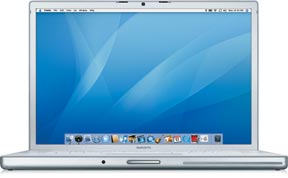
  • 15-in MacBook ProMacBook Pro (15″) – current test mule; had thoughts of using it to replace the 12″ PowerBook but I like the PowerBook’s size better for taking it on the road.

Then the PCs:

  • Gateway – can’t remember model; it ran Windows 95, which was brand new at the time
  • Dell Dimension 944r? – I gave this to the local library; it runs XP so why not?
  • Dell Latitude (laptop) – my current test mule. But I think that if Parallels or Boot Camp work out well, I might get rid of it while it still has decent resale value.

Other Hardware

The other hardware list is long and frankly not very interesting.

The list includes the usual collection of monitors (including 2 of the ill-fated 17-in Apple displays). I didn’t replace a monitor when I got a new computer — the Dell Dimension, for example, used the Gateway’s monitor and I’m still using the 20″ Sony monitor, which I think I first connected to my G3 all those years ago, every day. (And yes, I am ready for something bigger now that my close eyesight is starting to fail.)

It also includes printers — five laser printers (four of which are still at work in my house — don’t ask) and a collection of junky dot matrix and later inkjet and “photo printing” printers. I’m sold on laser printers and won’t get conned into buying anything else unless a better technology comes along. Oddly enough, I do very little printing these days, since all of my manuscripts are now submitted electronically. I don’t see my work in print until the edits come back for review.

I’ve had at least 3 scanners, including a SCSI scanner that cost a whopping $1,000. I now use a junky little Canon scanner which is far better and far cheaper than that first one.

imageI’ve had to buy numerous AirPort products, including four base stations (two of which I still own) and one AirPort Express. (I got a second one as a gift from Apple for making several appearances at Apple Stores.) I also have two iSight cameras, one of which powers my WebCam.

Speaking of cameras, I’ve also had to buy digital cameras, starting with the QuickTake. I’ve had five of them over the years, each better than the one before it. (My current Canon PowerShot has just died after less than 2 years of life so I’ll probably have to get another one soon.) And digital video cameras — I’ve had three. Why do I need cameras? Have you ever read any of my Mac OS X books? I need to cover how to use Mac OS X with these devices.

Black iPodAnd that’s also why I have three iPods, starting with the original 5GB model and ending (so far) with a sleek little black video iPod.

In the weird department is the Newton Message Pad (call me a sucker; I deserve it) and Twentieth Anniversary Macintosh (which sits in my living room, providing stereo sound and a digital picture frame when hooked up to one of my iPods).

My husband just told me to mention the huge plastic storage bin of cables. That’s where I was able to pull out a vintage 1989 ADB mouse for my friend Jo. I had a bunch of SCSI cables in there, too, but after trying unsuccessfully to give them to an Apple store, I just tossed them into a trash can in the mall. (Those cables cost $25-$50 each when new!) The cable bin is also where you’ll find various microphones and speakers, Zip drives, Jaz drives, and the cartridges that go with them. It’s an antique computer peripheral bin and if anyone needs any of that kind of stuff, Comment below and let me know. Most of it can go for the cost of postage.

Do the Math

That’s about it for the hardware. Do some math. I’m willing to bet that I’ve spent well over $75,000 on computer equipment over the years. In fact, I bet it’s close to $100K. But this is the cost of doing what I do. It’s part of my business expenses.

And yes, I can write it off on my taxes, but I still have to pay for it. A write off is nothing more than a rebate for me. It reduces my total tax liability, but not by the amount I paid — just by my tax rate applied to the amount I paid. For example, if I paid $100 for a piece of hardware and am in a 30% tax bracket, I’m only getting $30 off on my taxes. So the item still cost me $70. It’s nice to be able to write this stuff off, but it doesn’t mean I get it for free.

I’m Not Complaining

Not really. It’s great to be able to work with state of the art hardware. Who could complain about that?

But it would be nice if I got to work with it for free. I don’t mind paying for the stuff that I want to keep and use daily — like my production machines, which I really work hard over the years. But the equipment that I need just to write a few pages of a book — like an iSight camera or the latest AirPort base station — is tough to cough up the dough for. And let’s face it: how many iPods does a person really need? (If your answer is zero, you’ve probably never had an iPod.)

AirPort Extreme Base StationRecently, Apple very graciously agreed to loan me the new AirPort base station so I could write about the new AirPort Disk feature in my Leopard book. I’m looking forward to getting it and giving it a try. But I’m also looking forward to sending it back when I’m finished and not having to see it on my American Express bill. The AirPort Disk feature looks good, but I simply don’t need it.

(When I get my next production machine in October — probably a 24″ iMac — the dual G5 will be wiped clean and set up as a file server, perhaps with an inexpensive 17″ flatscreen monitor attached. I envision it sitting in my living room near the Twentieth Anniversary Mac, displaying a constant slideshow of photos when guests are around. A true digital picture frame with 120 GB of storage space and an AirPort card ready to accept all the files I want to back up via Time Machine.)

Meanwhile, the big names — and you know who I’m talking about — get everything they want any time they want it for free. In fact, Apple and other hardware/software developers call them and offer it up! It’s the reason why many of these guys have come across as real Apple fanboys. How can you be objective when you know that the first negative thing you say in the pages of the New York Times or Wall Street Journal may stop the next phone call from Apple? And the whole time, these guys are pulling in the big bucks and can actually afford to buy any hardware they want.

Am I jealous? Bitter? What do you think?

But because I pay for it all, I can stay objective. While I really do like what Apple develops and sells, I’m not afraid to mention the shortcomings in a product. (For example, I still can’t figure out why people are buying Apple TVs. At least the Newton I bought was kind of cool.) I can’t ruin my chances of getting the latest gadget — iPhone, Apple TV, etc. — for free because I wouldn’t get it for free anyway.

The Point?

The point of all this is that writing computer how-to books can be a costly endeavor. But I think it’s worth it.

Pro Writing Fundamentals: Editors

Who are these people and what do they do?

Posts in the Pro Writing Fundamentals Series:
Editors
Contract Negotiation

Since writing my multi-part series about copy editors, I’ve been thinking about taking a step backwards, for the benefit of new writers, to discuss the various types of editors a writer may work with on a book project. Copy editors are just one type, but there can be quite a few others.

So here’s that discussion, along with a summary of how they all work together in the book production process.

Acquisitions Editor

The first kind of editor you’re likely to work with is an acquisitions editor. This is an editor whose job is to acquire new books.

When you write a book proposal and send it to a publisher, this should be the person you contact. After all, this is the person who knows what the publisher is looking for. It’s also the person who is able to make you an offer and get the contract process going.

Keep in mind that not all publishers have acquisitions editors. These days, as many publisher trim the fat, they’re combining multiple jobs to make them one person’s responsibility. Also remember that although “acquisitions editor” is a standard title, not all publishers use standard titles. When I talk about an acquisitions editor, I mean the person acting in that capacity, no matter what her title is.

(I use feminine pronouns to refer to editors throughout this article. That’s not because I’m a feminist. It’s because the vast majority of my editors over the past 15 years have been women.)

Here’s how it works. You approach an acquisitions editor with a book proposal. If she likes it, she starts talking dates and money. If things continue to move smoothly, she’ll make an offer. You’ll make a counter offer. You’ll meet somewhere in the middle, likely closer to her number than yours.

Then she’ll get the legal department involved. They’ll draw up a standard contract with your money terms and dates. You’ll go over the contract and either ask for certain points to be changed or sign it. Throughout this whole time, you’ll be working with an acquisitions editor.

Of course, if you have an agent, your agent will do this stuff. Heck, he should. After all, he’ll be taking 10% to 15% off the top on your advance and royalty checks. This is how he earns his keep.

(And no, I don’t have, and never have had, an agent.)

Project Editor

Next, you’ll work with a project editor. Her job is to keep you on track, review your work as it comes in, and guide you in terms of content and style. She’s also responsible for making sure you meet your deadlines. Later in the process, she’ll coordinate all phases of the book’s pre-production work, including your interaction with other editors.

Your project editor may also act as the impartial judge if disagreements between you and your other editors arise. So it’s very important to treat your project editor with all the respect she deserves and to not be a pain in the ass. Remember, you’re not the only one she’s dealing with. She may have half a dozen or more other books and authors and production teams to deal with at the same time.

These days, I work primarily with two publishers. At both publishers, my project editor is also the acquisition editor. So I work with her for the entire project. I like it that way. I feel that the publisher has someone with a vested interest in the project from start to finish.

Technical Editor

If you write technical books, like I do, you might have a technical editor. Your technical editor’s job is to make sure your text is technically correct.

A good technical editor will repeat every instruction you wrote in the manuscript to make sure it works as you said it should. She’ll check all your screenshots to make sure they reflect what she’s also seen on her screen.

Some technical editors go a step further by suggesting topics they think are important that you may have omitted. For example, if you’re discussing the use of a software program’s dialog box and there’s a check box in there that you haven’t mentioned but she thinks is important, she’ll query you in the manuscript, asking if you want to mention it.

As the author, you get to review all of the technical editor’s comments. You should make changes as needed to correct errors. You can also make changes per the editors suggestions — or blow them off. But if you blow off a suggestion, you should have a relatively good reason for doing so.

If your technical editor makes a lot of suggestions that you don’t think are worth dealing with, you might want to mention it gently to her or to your project editor. Make sure you have a good excuse. Page count always works: “If I covered every option in ever dialog box, the book would need an extra 50 pages.” (Some publishers are very sensitive to page count and want to avoid adding extra pages at all costs.)

Copy Editor

The copy editor is the person who goes through the manuscript, checking for grammar, spelling, and punctuation errors. She’ll also look for sentences that don’t make sense or aren’t as clear as they could be. I discuss copy editing in a lot of detail in my Copy editing article, so I don’t want to repeat it here. Read that. You might want to read the other parts of that series, which include my thoughts on copy editors in general.

When the copy editor is finished reviewing your manuscript and making changes, you’ll get a chance to review it. Keep your temper. Your job is to make sure she didn’t change the meaning of anything. (Believe me, it does happen.) If there’s a change you can’t live with, make a note in the manuscript to indicate why it’s objectionable. Your project editor will make the final call.

Production Editor

The production editor is the person responsible for turning the files you submitted into files that can be sent to a printer. Sometimes, the production editor does the layout herself. Sometimes she’s in charge of a production pool, of sorts, where your book is laid out by a team of layout people using a template.

Hope for the first kind of production editor. This person will ensure consistency in the appearance of pages. (I’ve had instances where I could tell which chapters of a book were laid out by each of its three production people, just by the way small images were placed on pages. Not good.)

The production editor should not — I repeat, not — make any editorial changes. By the time the manuscript gets to the production editor, the content is engraved in stone (so to speak). A production editor that changes content — for whatever reason — is not doing her job. (I once had one who changed the content to make it easier for him to lay out. You’d better believe I wigged out when I saw the proofs.)

When the production editor finishes her work, she’ll print out proofs for review. These are sometimes referred to as “galleys” or “galley proofs.” For my books, they’re usually printed by chapter and I get a bunch of chapters at a time. For other kinds of books that aren’t so time sensitive, they’re probably printed out as entire books so they can be reviewed as a whole.

The proofs will go out to a bunch of people, including you, the project editor, a proofreader, and an indexer.

Proofreader

A proofreader isn’t exactly an editor, but she does have an editing responsibility. She goes through the proofs and reads every single word and looks at every single image and caption. Her job is to identify typos and other errors that slipped by the editing process.

A good proofreader will find problems. There are always problems in the proofs. I usually find them when I revise the book for the next edition. (Do you think I actually read my books once they’re printed and bound as books?)

My role as a proofreader is usually to make sure that the figures and illustrations are in the right place and are called out properly in the text. (I hate seeing “as shown next:” at the end of a paragraph when a small screenshot is placed beside the paragraph instead of after it.) I’ve also occasionally caught incorrect screenshot placement.

The problems found are marked up and sent back to the production editor, who fixes them. She then turns the book into files and either uploads them to the printer’s FTP site or sends them to the printer on a CD-R disc.

Indexer

The indexer is also not really an editor. But she is, in a way, because she also reads the proofs and occasionally finds problems. In fact, I fired a proofreader I’d hired for a book when the indexer found more problems than the proofreader did!

The indexer usually uses indexing software to create the book’s index. She submits it to the project editor, who has it edited by the copy editor. It then goes to the production editor to be laid out with the rest of the book.

You probably won’t see the index until the book is printed and bound. That’s ironic, since many book contracts require the author to pay the cost of indexing the book.

How Long?

How long this takes varies from publisher to publisher. It also varies depending on the kind of book. Computer how-to books are extremely time-sensitive, so the process seldom takes more than a month from the time you submit the last chapter’s original manuscript to the time the production editor sends it to the printer. For other topics and books and publishers, the process can take months or even years — which is something I simply can’t imagine.

That’s It in a Nutshell

That’s the editorial process for publishing a book — at least as I’ve experienced it. Has it been different for you? If so, share your experiences in the Comments for this post.

And if all this is new to you, don’t be afraid to use the Comments to ask questions.

An Eclectic Mind

The site gets a new name, too.

After months of thinking about a new name for my personal blog and book support site, I finally took the plunge. The new name is An Eclectic Mind.

Why Eclectic?

The name comes, in part, from a regular visitor here, Thomas Fucili. He read my post “What’s in a Name?” and responded using the Contact form with a suggestion: Eclectic Pronouncements. I liked eclectic, but didn’t like pronouncements. He came up with a replacement word and I thought deeply about it but made no decision.

ec•lec•tic |iˈklektik|
adjective
1 deriving ideas, style, or taste from a broad and diverse range of sources : her musical tastes are eclectic.
2 (Eclectic) Philosophy of, denoting, or belonging to a class of ancient philosophers who did not belong to or found any recognized school of thought but selected such doctrines as they wished from various schools.

I liked the word eclectic because it seemed to suit the site’s content. As anyone who visits the site regularly knows, I write about widely varied topics. In the world of “pro blogging,” that’s a big no-no. But I’m not blogging to make money, so I don’t really care if the site’s not focused enough to build a high volume of regular visitors and feed subscribers. I write about what interests me, while providing support for the folks who buy and read my books.

The second definition seemed to suit me, too. I don’t think inside the box and can’t be easily labeled. I listen to a lot of theories and opinions and choose the ones that make sense to me — even if they don’t usually co-exist in other people’s belief systems. I’m not a philosopher (although sometimes I do feel ancient) but I’m a strong believer in independent thought.

Eclectic seemed a perfect fit.

The Domain Name Challenge

One of the challenges I faced was coming up with a name that was somewhat (at least) original and still had the domain name available. Although I don’t expect to formally change the domain name for the site, I did want new visitors to be able to find the site by clicking in the domain name with a dot-com at the end. I came up with a few twists on the word eclectic but couldn’t secure the domain names for any of them.

And then, one day, I just came up with An Eclectic Mind. The domain name was available and I bought it. Without really realizing it, I’d settled on a new name.

That was a few weeks ago.

A Day of Changes

I wanted to tie in the site name change to a complete site redesign. So I spent some time looking for the right theme. I found Cutline, which I’ll probably discuss in some detail in future blog posts. I also wanted to [finally] upgrade to the current version of WordPress (2.2.2 as I write this). I knew from experience that the upgrade would break some of my plugins and my current theme. So it made a lot of sense to take a whole day and just do the name change, upgrade, and new theme.

That day was today.

The site’s not done yet — I’m still adding in a few features that my old site used to have — but I expect to be finishing it up over the next few weeks. I’d love to hear your comments about it; use the Comments link or form at the bottom of this post to share your thoughts.

But for now, I just want to thank Thomas for his suggestion. I couldn’t have come up with the new name without his help.

The Older Generation

Not happy unless there’s something or someone they can complain about.

And I’m probably showing how I’m entering that older generation now.

What Do They Think?

My recent rant about people who can’t read brought a member of the older generation out of the woodwork to comment on the post. He/She apparently took offense at my request that people follow my instructions and not bother me for information about Wickenburg.

Apparently, this person thinks I should devote my life to maintaining my Web sites and serving the people who find and read them. I seriously doubt whether this person has used the Donation link to help support the site, which takes time and money to run. Instead he/she wants my services for free. And damn me if I don’t want to give it out!

I’ve seen this over and over at wickenburg-az.com. People can’t take the site for what it is: a many-authored blog related to the town and life in Wickenburg. They seem to think that it’s some kind of service that should do nothing but write glowing articles about the town and its surroundings, to paint a rosy picture of the retiree heaven they want it to be. A service run by someone who’ll drop everything — including work she does to make living — to get them the information they seek.

I don’t know where the hell they got that idea. I guess it’s because they can’t/won’t read.

This Ain’t the First Time

In my recent rant, I didn’t list the e-mails and nasty comments I’ve gotten from this group of senior whiners. Frankly, I didn’t think it was worth giving it attention. But since this recent whiner has joined the pack, I figured I’d take a moment to whine back.

Why is it that these people can never find something to be happy about? Why is it that they take offense so easily when something they know so little about is revealed to be a little less perfect than they thought? And why, oh why, is their attitude always “I don’t agree with you so I’m going to stop reading what you write and I’m going to tell you about it because I want to hurt your feelings.”

(Mommy! The mean man doesn’t like me! Waaaaa!)

A person with some guts or brains might attempt to start a reasonable debate on why I’m wrong or why I should look at things their way. A person who truly cared about the town might volunteer to join its content creators and write the articles they think belonged on the site to get their point of view out there.

But all that would take effort. It’s so much easier to say something they think is mean and walk away. (Heaven knows, their time is so limited now that they’re retired.)

Well, as my mother would say, “Don’t let the door hit you in the ass on the way out.”