Three Productivity Tips from a Long-Time Blogger

A guest post for WordCast.

About this Post
I wrote this post to complement my participation in a Blog Productivity panel podcast for WordCast. I was invited by Lorelle (of WordPress fame), and I really enjoyed participating. If you listen to the podcast, it’ll soon become clear that I’m the “odd man out” (so to speak) in that I do things a bit differently than the rest of the pack. The podcast is full of great tips from all panelists and definitely worth a listen if you’re serious about blogging. This post appeared on the WordCast site earlier in the week.

I might not be the most influential blogger you’ve ever heard of — if you’ve heard of me at all. Or the most prolific. But I’m probably one of the most experienced: I’ve been blogging since October 15, 2003.

Still, I was extremely pleased to be asked to join a panel of expert bloggers for a recent WordCast podcast about blogging productivity. The folks at WordCast asked me to follow-up with a blog post sharing some of my tips. I can’t help thinking that my co-panelist’s tips were better, but here’s what I have to offer.

1. Create and Stick to a Blogging Schedule

One of the most important things about keeping a blog is adding new content regularly. “Regularly” is a tricky word. It doesn’t have to mean every day. It just means often enough to keep your readers checking in for more.

For example, suppose your life gives you enough free time that you can post once or twice a day for a few weeks or months. Suddenly, however, life takes as turn and that blogging time is gone — or you get bored with your blog and put it on the back burner. Go a week without posting something new and the folks who check in regularly for your words of wisdom may stop checking.

While I realize this is an extreme example, it does illustrate my point: regular readers will pick up on the rhythm on your posting and expect you to stick with it. When you don’t, they move on.

The way to prevent this from happening is to create a posting goal and schedule time to write. Perhaps you think twice a week is a good frequency. Pick two days a week — Tuesday and Friday? — pick a time that works for you — at breakfast with your morning coffee? — and blog on schedule. Make it part of your routine, part of your life.

I try to get a new blog post out at least five days a week. My schedule has me sitting in front of my laptop with my morning coffee every morning I can. Since I’m an early riser — usually up by 6 AM — I usually get my blog post done before I start my work day.

Got something coming up that’s likely to break your schedule? Vacation? Business trip? Family commitments? Write extra posts when you can and schedule them to appear in the future. This is particularly handy if your topic is not time-sensitive or you know you’ll be unable to blog on schedule in the future. Here are two suggestions:

  • Long posts can often be cut it into multiple parts with each part scheduled to appear on a different day. Not only does this stretch a single work out to fill a posting schedule, but if done properly, your readers will make sure they come back for the subsequent parts.
  • Do double-duty and write two posts at a sitting, scheduling one of them to appear in the future. If you’re able to write a lot very quickly, you can actually write a week’s worth of content at one sitting. No one has to know that each day’s new post was actually written some time ago.

2. Take Notes

How do you know what to blog about? One way is to take notes. As ideas and thoughts come to you — either from the workings of your own mind or from something you read online or heard in a conversation — jot them down. If you spend enough time thinking and reading and listening, you should be able to accumulate plenty of ideas.

Call me old-fashioned, but I don’t use software or web-based tools such as Evernote to organize notes and clippings. I use paper. I keep spiral-bound notebooks on my desk and in my computer bag and make notes as things come to me. When I’ve processed the note — blogged about it, made the call, tracked down the Web site, ordered the product, etc. — I recycle the paper. The huge file containing all my thoughts and ideas is my blog.

The point is, it doesn’t matter how you take notes. The important thing is to take them. Keep track of the little ideas that pop into your head when you’re in the shower or driving. Write down the key words of a conversation that’ll help you remember what you found so intriguing. Then, when you’re ready to compose a blog post, you’ll have most of the material you need to get it written.

Don’t get me wrong: I’m not knocking software tools. I just can’t be bothered climbing up the learning curve to use them effectively. Pen and paper works for me.

3. Automate!

There are lots of software tools and solutions out there to help automate tasks. After all, isn’t that what computers are for? To do the work and make our lives easier?

Here are three examples of tools I use to automate blogging-related tasks:

  • Delicious with Postalicious. Delicious is a bookmarking Web site. You read a Web page, want to remember it, and create a Delicious bookmark with its URL and a description and tags you specify. I’ve been using Delicious for years, since it could be found only at http://del.icio.us. Postalicious is a WordPress plugin that creates a blog post based on your new Delicious entries and the descriptions you provide. It then automatically posts the links entry to your blog at a predetermined time. You can find plenty of examples on my blog. Postalicious also works with other services, such as ma.gnolia, Google Reader, Reddit, or Yahoo Pipes. I rely on this combination of tools to collect and share Web-based content that I found interesting and want to share with my readers. The format isn’t perfect, but it’s certainly good enough for my needs. Oh, and one more thing: I use the RSS feed for my Delicious bookmarks to generate a list of recently bookmarked pages in the sidebar of my blog.
  • Twitterfeed with Twitter. Twitter is an incredible tool for communicating short snippets of information with other people all over the world. (If you haven’t heard of it or tried it, crawl out from under that rock, brush the dust and cobwebs off your clothes, and join the rest of the social networking community.) Twitterfeed is a Web-based service that scans your blog’s RSS feed and tweets links to your new posts. This is a great, automatic way to tell your Twitter followers about new content on your blog.
  • Feedburner’s Email Subscriptions. Feedburner is a service that modifies your RSS feed to add features. Although it was started as an independent service, it’s now part of Google, so you need a free Google account to take advantage of its features. The Email Subscriptions feature creates e-mail messages based on your RSS feed and sends them out to subscribers. The subscription list is maintained inside Feedburner, so you don’t have to deal with it; users can add and remove themselves without bothering you. This is a great way for folks who want to read your content regularly to get it on a timely basis without using RSS readers. Best of all, once you set it up, it’s automatic.

Conclusion

When thinking about blog productivity, it all comes down to working smart. Make blogging part of your life schedule. Keep notes about the topics you find interesting so you have plenty of topics to write about when you’re ready to blog. And automate tasks whenever possible.

These are just three tips. Give it some thought — or read the blog posts of my co-panelists here — for more.

About the Author

Maria Langer is a freelance writer who has been writing about computers and the Internet since 1990. She’s the co-author of the first-ever book on WordPress and has since authored three WordPress video titles for Lynda.com. Maria’s also a commercial helicopter pilot and serious amateur photographer. Her blog, An Eclectic Mind, can be found at aneclecticmind.com.
Got a Keyboard? Use it.

A blog post should be more than just screenshots of what other people Tweeted.

This morning, as I sat drinking my coffee, I began my usual ritual of checking out some of the links tweeted overnight by the people I follow. One of them was about the iPad. Interested in the iPad as my future ebook reader, I followed the link.

I wound up on a blog post that consisted primarily of screenshots of Twitter. The blogger had posted a question on Twitter about the iPad and then sat back and captured screenshots of the responses as they were tweeted.

I call that lazy blogging.

It was also extremely tedious to read. So tedious, in fact, that I stopped reading after the first scroll down. I did continue scrolling to see if there was some content added by the blogger, but there was so little of it that I wound up simply closing the browser window and getting on with my day.

And then I realized how much it bugged me that there was someone out there passing off screenshots of Twitter responses as a blog “post.”

There is so much crap on the Internet today. Huge quantities of it. I don’t “surf” the net. My Web activity is limited to looking up things I need to know about and following what appears to be interesting links that I receive from friends and business associates verbally, via e-mail, and via Twitter. I don’t want to spend my day wading through the crap online. I want the good stuff.

A blogger should not simply regurgitate what’s readily available on the Web. If I wanted to know what Twitter users thought of the iPad, I’d use Twitter’s built-in search feature — which is also part of Nambu, my preferred Twitter client — and set up a search. I’d then read the results myself. I don’t need to go to a blog to read the same stuff. As screenshots, for Pete’s sake! Hell, if I were at home with my miserably slow Internet connection, the damn page would have taken five minutes to load!

A blogger’s job is to both inform and provide analysis. A summary sentence at the top of 20 screenshots that simply says, “Many people think lack of multi-tasking is a deal breaker,” doesn’t do much for me. And I certainly don’t need to see those 20 screenshots. I get it. You’re not making this up. All these Twitter users said it. I guess it must be true.

And it’s immensely ironic that this post was retweeted. As if it had value. WTF?

My point: if you call yourself a blogger and want to add something of value to the Web, dust off your keyboard and use it.

On Becoming a "Power Blogger"

I define a new [to me] phrase.

Yesterday, I was one of four guest panelists on the WordCast podcast. The topic was blog productivity — tips and tricks for blogging more efficiently — and a phrase I’d never heard before came up in the discussion: power blogger.

Let me take a few steps back before I move forward. Although I’ve written extensively about blogging from the blogger point of view and I’ve also co-authored and authored various WordPress training materials (books and videos), I’m not someone who keeps up-to-date with the world of blogging. I don’t know the buzzwords or phrases, I don’t follow the hot trends. I just obtain the tools, use them the way they work for me, and try to publish new blog posts regularly. Along the way, I provide a sprinkling of advice for bloggers in my own blog posts.

So the phrase power blogger was brand new to me.

And meaningless.

When the question, “What advice can you give to people who want to become power bloggers?” came up, I felt a tingling of stage fright. Surely I’d sound like an idiot if I admitted I had no idea what the phrase meant.

Fortunately, another panelist spoke up. I listened carefully to glean meaning from his response. And what I learned was that he — and the others — considered the quantity of blog posts a major component of power blogging. By their definition — at least one post a day — I was a power blogger!

I sure don’t feel like one.

When it was my turn to speak, I proposed my own definition of power blogger. I don’t remember the exact words, but it went something like this:

The number of blog posts a blogger publishes should have nothing to do with whether he’s a power blogger. Instead, it should be the influence the blogger has over his readership and beyond. What’s important is whether a blog post makes a difference in the reader’s life. Does it teach? Make the reader think? Influence his decisions? If a blogger can consistently do any of that, he’s a power blogger.

I recall comparing Twitter — which is, after all, “microblogging” — to blogging. Someone can tweet dozens of times a day, but if there isn’t any value in what he’s tweeting, what good is it? There are plenty of bloggers out there simply rehashing the same material, over and over, without adding anything new to the mix. They might post five or ten times a day. But if it isn’t worth reading, how can you consider them power bloggers?

And I guess that’s the advice I want to share in this post: If you’re serious about blogging, don’t go for quantity. Go for quality.

Make a difference with what you post.

Stop Being Too Cheap to Pick Up the Damn Phone

It’s 2010, not 1957.

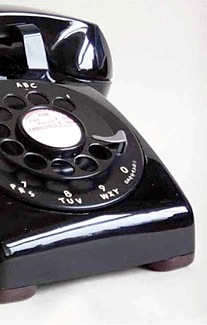
TelephoneYeah, I know. In the old days, calling a phone number outside your area code would likely cost you a few bucks for a few minutes. “Long distance” phone calls were pricey, often 25¢ or more per minute. Cost conscious folks had no interest in following up on a vendor or service by calling in. Thus, toll-free (originally “800” numbers in the U.S.) were born. By the 1990s, they’d run out of area code 800 phone numbers and added 866 and 877.


Sometime before that, however, e-mail began its rise to popularity. Why call someone on the phone when you could e-mail them for free? The result: spammers and people who seem content to cast their queries to the Internet winds, hoping an intended recipient receives them and responds sometime before the end of the week.

As phone companies began competing for our business, phone rates dropped. When I ran my BBS back in the late 1980s and early 1990s, I was thrilled to find a calling plan with unlimited long distance for only 10¢ a minute. Then 6¢. Then 5¢. This meant I could pick up my FidoNET message groups nightly for only a few dollars a month. The added benefit: I could call my mother or sister, in the next state, and talk to them for 20 minutes for only a buck.

Time marched on. Cell phones began their rise. Cell phone service providers started competing for our business, offering better and better rate plans. I pay a flat fee every month. I get free calls on weekends and non-peak times. I get free calls to any other cell number with the same carrier as mine. I get free calls to the five phone numbers I specify that aren’t with my cellular provider. I get 900 peak minutes a month. Yes, I realize that other providers have other plans that are equally good, if not better. The point is, if you have a cell phone with any decent calling plan, there’s no such thing as “long distance” anymore — at least not within the U.S.

So why the hell do people whine and complain when they can’t contact a person or organization via e-mail? Why don’t they just pick up the damn phone and dial the number that’s provided?

Here are three examples of where I’m seeing old-fashioned thinking about making a “long distance” phone call:

  • I recently designed a brochure for Flying M Air’s Moonlight Dinner Tour, which takes people to the excellent Anzio Landing restaurant at Falcon field. The brochures were designed to be distributed at Anzio to their existing customers. Fortunately, I sent a sample of the brochure to the owner/manager before having them printed. I included my company’s phone number, which is in the 928 (northern Arizona) area code. The manager asked, “Don’t you have a local number for people to call?” I had to grab a number in the 602 (Phoenix) area code from Google Voice, set it up to forward to my phone, and add it the brochure.
  • At least once a week, I get an e-mail message from a helicopter pilot looking for a job. They visit Flying M Air’s Web site and home in on the Contact Us page. The page includes the company phone number — seriously, how else would you make a reservation? — but they opt for the contact form, which sends me an e-mail message. So rather than taking 15 to 30 seconds of their time calling to ask if there are any jobs available, they waste 5 to 10 minutes of their time composing an e-mail message that’s supposed to impress me just to ask me to call them and request more information or an interview. Guess what? I’m not impressed. (I’ve since added a note right above that form telling them we’re not hiring. It’ll be interesting to see how many job seekers ignore that.)
  • A recent comment on wickenburg-az.com, a Web site I manage, complained that an organization seeking support and new members had not provided an e-mail address. It had, however, provided a phone number. I pointed this out in a reply to the comment, hoping he’d stop whining and contact the organization using the method they preferred.

Come on, folks! It’s 2010! Telephone communication is cheaper than ever. It also remains the fastest way to conduct a two-way conversation with someone else.

Need information? Stop wasting time with e-mail and pick up the damn phone!

Solar Power Woes

Why I won’t be buying a solar energy setup for my new RV.

My old RV — which we drove away from this afternoon without a backward glance — had a solar panel on the roof. The panel charged the RVs two batteries, which, in turn could power the lights, stereo, and any devices we had plugged in to the unit’s two DC power ports. This was handy when we camped off-the-grid, as we did numerous times on our way from Washington state to Arizona last summer.

The system didn’t have an inverter, though. That meant that it could not power the AC power outlets or anything plugged into them, including handy devices like the microwave. We learned to do without.

Our New RigMy new RV is quite a step up from the old one. It actually has rooms. And a desk I can sit and work at. And lots of space.

Of course, I wanted it to have a solar setup, too. But a full-blown setup that would include an inverter and be able to power any of the outlets and devices on board. Okay, well maybe not the air conditioning, but everything else.

My husband, Mike, is a solar guy. He knows how to design solar power systems. He designed the one on our old RV and designed and built the significantly more complex one on our off-the-grid vacation “cabin.” So he sat down with a pen and paper and, using the Internet, researched a solution. I’d use the panel off my old RV, match it with a second panel, add two batteries, an inverter, and a bunch of other stuff, and have a 2KW solar setup. The cost: roughly $3K.

Now $3,000 is a lot of money, especially after pouring a bunch of money into a new RV. But I like the idea of renewable energy. And I love the idea of silent energy. So I was willing to spend another $3K. I saw it as an investment in the future.

We were in Quartzsite, AZ when I picked up the RV. There are lots of RV service centers there, including two that specialize in solar power systems. So we drove over to one to get a quote.

And that’s when things started getting funky.

One guy priced up a system for us what was just a bit over Mike’s estimate. That didn’t include installation labor, though. (I insisted on a professional installation.) He quoted us labor at $55/hour for maybe four hours. I took a deep breath and nodded. So the sales guy handed us off to the order writer. She priced everything out. But suddenly labor was $85/hour and we were looking at 10 hours or more. She refused to be pinned down, but I was seeing a minimum of $4400. My “ripoff radar” — developed after years living in the New York area — perked up and started sending me signals. I told the woman I’d sleep on it and we left.

We went to the other solar outfitter. We’d bought all our solar panels for the vacation cabin and some other equipment from them in the past. They priced out our system and came up with a solid number: $4168. Ouch.

Mike and I talked about it at some length. He’d already suggested a much cheaper alternative for the times we were off the grid: a 2000-watt Honda generator that could be used parallel with an identical model to give a total of 4000 watts. If you needed a little power, you’d fire up one. If you needed more, you’d connect the second one and fire it up, too. With 4000 watts, we could power everything in the camper, including the air conditioning.

At first, I’d resisted the suggestion. I wanted quiet power. The Honda generators were known for their quietness, but nothing would be as quiet as solar.

But the kicker: I could get the Hondas for less than $1,000 each. Just one would provide as much power as the solar setup we’d envisioned. No need for an inverter or charge controller or holes drilled in the RV roof.

Yamaha EF2000iS GeneratorLater that day, we walked around the RV show in Quartzsite, where vendors were selling all kinds of things for RVers. One of them had Yamaha generators. The Yamaha EF2000iS did the same thing the Honda I was considering did, but it was 2 decibels quieter and 2 pounds lighter. And a tiny bit cheaper to buy, too.

It was even cheaper on Amazon.com.

So I didn’t go with the solar setup. I just can’t justify the added expense — after all, to get 2,000 watts with solar power, we’d be spending four times as much as the generator would cost us.

And I’m sure I’m not the only person who feels this way.

It’s unfortunate. There are many people out there who want to do the “right thing” and use renewable energy. But it’s difficult to justify the added expense. When a friend pointed out that I’d have to buy fuel for the generator, I replied that $3000 worth of fuel could go a long way at 5 hours per gallon. The solar setup would never pay for itself.

I’m hoping that changes sometime soon.