
Hardcore .htaccess stuff for mere mortals like me.
Somewhere along the line recently, I got this idea in my head that I wanted all subscribers for my main feed here to get the FeedBurner version of the feed. Those of you who are familiar with RSS know that a feed icon appears in the address bar of most modern Web browsers, offering visitors a quick way to get the feed URL or create a live bookmark. Other folks might know that they can enter the URL for a WordPress-based site followed by the word feed to get a feed URL. There are a few other formulas that can be used to generate a workable feed URL for subscribing to a feed, too.
While that’s all well and good, with so many methods to subscribe to feed content, it’s nearly impossible to get a real count of subscribers. How many people are subscribed to my feed? Beats me. How many hits a day does it get? I don’t know.
And those of you who have been reading this blog for a while know how much I love stats.
So a did a little poking around on the Web and found a few articles that explained how to use .htaccess to redirect hits to WordPress-generated feeds to my FeedBurner feed. One was this thread on the FeedBurner site, which has special instructions for WordPress users (scroll down on that page). Another was this article on oneafrikan.com, which offered some additional tricks I found useful.
Unfortunately, these solutions had one thing in common: they redirected all feed links to a single FeedBurner feed link. While that’s fine for most people, I’ve just gone through a lot of trouble to set up and promoted category feeds on my site. The last thing in the world I wanted was for someone to subscribe to a category feed and then get the main feed in their feed reader.
Of course, all of this redirect magic is done with .htaccess, the “invisible” file that works with your Web server to provide some last-minute instructions for your site. I’d already played a bit with .htaccess settings to make sure that outdated URLs published in some of my older books still pointed to the right thing on my current site. And, of course, WordPress uses the .htaccess mod_rewrite module to change ugly PHP URLs into something more attractive and logical (although very lengthy, if you ask me). I knew only enough about .htaccess to be dangerous with it, but since I treat it like a vial of nitroglycerin, I haven’t gotten myself in trouble yet.
So I figured I’d take the oneafrikan.com settings and modify them to meet my needs. The trouble is, when I looked at the code, I couldn’t translate them into a language I understood (such as English), so I couldn’t modify them to meet my needs or anyone else’s.
I spent some more time on the Web and found lots of documentation. Unfortunately, all of it assumed I knew the basics of what I now know are called regular expressions: those punctuation marks that mean something completely different from the punctuation I’m used to as a writer. Not knowing what they were called made it impossible for me to look them up online. When I started looking at the same apache.org page over and over and it never changed (not that it should, mind you), I realized I needed more advanced (or perhaps basic) help.
What I needed was a book.
I don’t just write books. I read them, too. Although I very seldom read a computer book cover to cover, I have a bunch of them that I consult when I need to figure something out. Oddly enough, some of them are books I’ve written; I tend to forget things I’ve written about when I don’t use them regularly. (And they call me an expert! Ha!) I have a book by another author that covers Apache, but the information I needed was not in there. In fact, I’m trying to figure out why I bought that particular book in the first place.
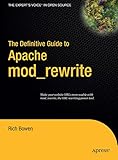 So I went on Amazon.com and I searched for .htaccess. I came up with a list of books that referenced it, but were not about it. Then I searched for mod_rewrite. And voila! I found The Definitive Guide to Apache mod_rewrite by Rich Bowen.
Not anxious to plunk down $30 for a book I might not find my answers in, I did some more research on the Web. I found a few book reviews and they were all positive. It appeared that this 160-page book covered the topic quite completely. It was definitely the book I wanted on my shelf.
Of course, I didn’t feel like waiting for Amazon.com to ship it to me. (I like immediate gratification almost as much as stats.) So when I realized that the publisher’s Web site offered the book as an eBook for only $20 (half the cover price), I bought it online and downloaded it. In five minutes, I had the answer to my question and enough information to tackle the problem. But rather than read the book on my 12″ PowerBook’s tiny (well, 12 inches, right?) screen (my G5 is still feeling sickly), I printed the whole thing out, punched holes in the pages, and put it in an old binder I had sitting around.
I realize that once again I’ve turned a short story — I found a great book about using mod_rewrite — into a long and drawn out one. (There are no short stories here.) My apologies to those of you in a hurry.
The point I wanted to make is that The Definitive Guide to Apache mod_rewrite is an extremely well organized, reader-friendly, well written, and informative book that explains exactly how to use mod_rewrite for anything you might want mod_rewrite to do: rewrite URLs, control access, set up virtual hosts, and so much more. Plenty of examples, each of which is analyzed and discussed. It’s all there.
I’m only about 30 pages into it so far, but I’m already very pleased.
 My window also has a nice view. It looks out into the garden with the mountains in the distance. I just finished setting up the Webcam for wickenburg-az.com, which shows the view. Here’s the small view. (Well, if you’re looking at this during the week of January 22, you might actually be seeing the inside of KBSZ studios; there’s a tiny Webcam problem right now.) When spring comes, I’ll start working in the garden again. I’m looking forward to it. I miss gardening, but when my office was in town, I never seemed to have time for it.
 The Speed Test displays your results graphically using a speedometer-like meter. Here’s an example of what my terrible home Internet connection looks like with the upload test in progress. (Now you can see why I don’t want to move my office back home. I can just about pin the speed needle with my DSL connection at the office.) At the end of the test, Speakeasy plays a little advertisement and offers access to a search feature where you can see if their service is available in your area. (It’s not in my area, but then again, there’s only one non-dialup option available for my home and you’ve seen the results.)