Long Lost Cousin Found

A true story involving an odd last name, the Daytona 500, Google, and one of my Web sites.

The other day, I got an e-mail message from a guy named Steven P. Obviously, his name was not just P. It began with a P and was somewhat unusual. Pretend, for simplicity and to keep this guy’s identity private, that it was just plain P.

Here’s what he wrote.

My name is Steven P. I was getting tickets for the Daytona 500 and was surprised to find another P in the Ticket registery. All I got was Mike P from Pheonix. I googled his name and got a website with your writings. I also got a guest book for Benny Parson’s that Mike had left a message at. I was just wondering if you know Mike? I have lived in Tampa Florida all my life. I have family in Bradenton. All of them have passed, just cousins left. I was just trying to find out if we are family. If you know him and could tell him about this message I would be thankful. My EMail is scp@yahoo.com [not his real address].
Thanks, Steven

I don’t know who or what Benny Parson’s is, but I did track down a comment written by Mike P on my wickenburg-az.com Web site.

I don’t know Mike P. He’s not listed in the Wickenburg phone book. And I wrote back to Steven P to tell him that. But, at the same time, I told Steven P that I’d send Mike P a copy of his message. Since WordPress requires commenters to enter an e-mail address, I had one for Mike P. (Oddly enough, it was also a yahoo.com address.) So I forwarded Steven P’s message to Mike P with an apology for bothering him just in case they weren’t related.

A few days later, I got the following message from Steven P:

Thank you so much for forwarding my Email to Mike P. He Emailed me back and we are family. His Dad is my cousin who lives in Florida. We don’t see each other and I never knew he had kids. Thanks again. Steven

Now doesn’t that make you feel all warm and cuddly inside?

Backup at the Touch of a Button?

We’ll see.

The first thing I did when my hard disk failed on Friday (for the fourth time in less than 10 years) was to go online and find an external hard disk that had enough capacity to back up my computer’s entire hard disk. And while I was at it, I’d get one that was bigger than my current hard disk so I could use it for my next computer (which will probably be purchased sometime before the end of this year).

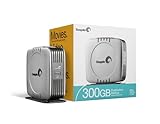
Seagate ST3300601CB-RK 300 GB External Hard Drive with FireWire and USB 2.0 InterfaceI started at the Apple store, figuring that the products sold there would work effortlessly with my Mac. I found a Seagate 300 GB model (the Seagate ST3300601CB-RK) that boasted “pushbutton backup.” Now that sounded like the right thing for me. I did a little Web searching and found the same hard disk on Amazon.com for $40 less. I ordered it. It should arrive sometime next week — hopefully right around the same time TechTool Pro finishes doing whatever it can to recover my data.

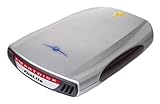
SmartDisk FWFL80 80GB Firelite 2.5In the meantime, I still have two 80GB Smart Disk FireLite portable Firewire hard disks to capture whatever can be scavenged from the disk.

I’d like to hear from readers about backup strategies and solutions, as well as any experiences with Seagate’s “award-winning Bounceback Express software.” (I’m extemely skeptical about this solution.) Use the Comments link. And if you want to share a hard disk crash story with us, please do. I can’t be the only one out there losing hard disks.

Computer Woes

Again.

If you were starting to wonder whether I’d fallen off the face of the earth, stop wondering. I’m still here. It’s my main computer’s hard disk that has decided to take an extended leave of absence from work.

It happened on Friday. It was doing four things at once as it usually does and it completely locked up. I had to power it down to unlock it. When I powered it back up, I had a blinking System folder icon. Never a good sign on a Mac.

Long story short: TechTools Pro has been working on the disk for about 37 hours now, trying to recover what was on the disk. It’s not even halfway finished, so I figure it’ll be done by Tuesday or Wednesday. Until it’s done, the computer is pretty much dead in the water. And maybe even after it’s done.

This has happened to me before, so most of my stuff is backed up. But a few things aren’t. Like 4 hours worth of work on Chapter 6 of my Excel 2007 Visual QuickStart Guide. What annoys me most about that is that it was the second time I went to work on that Chapter. The first time, I didn’t like the way it was coming out so I scrapped it.

If the data can’t be recovered by me or by experts elsewhere, I’ll have to rebuild the hard disk’s contents from scratch on a new hard disk. I’ll know if I need to do that sometime near the end of the week.

In the meantime, I have three laptops to work with: My trusty 12-inch PowerBook G4 (which I’m writing on right now), my new MacBook Pro (which is resting until it needs to do duty as a test mule for my upcoming Leopard book), and my Dell laptop (which is what I was running Excel 2007 on while revising my Excel book). So I can keep blogging, keep writing short articles, and write my outline for my Leopard book.

I’m just a bit depressed about the work that faces me and the possibly hundreds of photographs stored only on that computer’s hard disk. I couldn’t back up everything. But that’s going to change very soon.

Full Text vs. Summary Feeds

What the hoopla is all about.

It’s a hot topic among bloggers. Full feeds or Summary feeds? I’ve exchanged some words with a reader here about it, but I’ve always been sitting on the fence.

RSS Feed Basics

For those of you who don’t have a clue what I’m talking about, let me take a moment to cover the basics.

This blog (and its individual categories or topics) is available in two formats: HTML viewable in a Web browser and RSS viewable in a feed reader (or aggregator). The HTML format includes nicely designed pages (if I do say so myself), access to polls and comments, and full site navigation features. The RSS format includes just the most recent posts in whatever format a subscriber’s feed reader displays them in.

The benefit of the RSS format is that content is automatically delivered to subscribers as it is published. There’s no need to visit the site to see what’s new. The feed reader will automatically gather all new content for reading at the subscriber’s leisure. You can learn more about RSS on Feedburner’s Feed 101 page.

Full-Text vs. Summary Feeds

Bloggers normally have the option of creating feeds as full text feeds or as summary feeds. (To set this option in WordPress, go to Dashboard > Options > Reading. We provide full instructions in our WordPress book.) A full text feed publishes the entire content of each post to the feed, making it unnecessary for the subscriber to come to the source Web site. A summary feed publishes just the beginning of each post to the feed, making it necessary for the subscriber to come to the Web site for the remaining content of each post he wants to read. (In WordPress, this is only the first 55 words.)

It’s pretty well established that full text feeds attract more subscribers than summary feeds, so if getting more subscribers is a blogger’s goal, full text is definitely the way to go. But full text feeds have several drawbacks that have kept me from jumping on board:

  • Full text feeds eliminate the need for subscribers to visit the site at all. All your hard work on blog design is completely wasted on feed subscribers.
  • Because full text feed subscribers are less likely to visit your site, they’re also less likely to comment on entries. This reduces the interactive aspect of your site. I think this is a serious problem, since RSS subscribers are more likely to have something constructive to say about technical topics, which is what I often write about here.
  • Because full text feed subscribers are less likely to visit your site, they’re also less likely to click ads there, thus potentially reducing your revenue stream. (Of course, it’s a valid argument that RSS subscribers are more tech savvy and less likely to click ads in the first place.)
  • The appearance of feeds in a subscriber’s feed reader is dependent on settings within that reader. As a result, entry formatting can be lost, resulting in ineffective appearance to the reader. For example, headings may show up as boxes in the margins rather than as headings.
  • Full text feeds are more likely to be scraped by splogs. That means your content may be used by “bloggers” to build content on their advertising-heavy sites, as well as link farms and other unsavory Web traffic-generating or revenue-generating schemes.
  • If you write very long entries or include many posts in your feeds, you could reach feed length limitations with FeedBurner (if you use it).

For summary feeds, the only drawback is that they’re less likely to get subscribers since a lot of folks don’t think it’s worth subscribing to a feed if the entire content does not appear in their feed reader.

Sitting on the Fence

With all of this in mind, I’ve been using summary feeds since I switched to WordPress about a year ago. I haven’t been very interested in building the number of subscribers. This drew a lot of flack from a subscriber, especially when I couldn’t make up my mind and switched back and forth between the two kinds of feeds over the period of a number of weeks. I assume that she dropped her subscription when I stuck with summary feeds.

Now I’m more interested in building my subscriber base. So I’ve switched back to full text feeds. It’s been about a week, and my feed has already been scraped once, with a pingback that I assume was supposed to help the scraper’s Google placing. (I deleted that pingback comment as soon as I found it.) One subscriber (Miraz) has already joyfully commented on the switch. Others haven’t commented. I don’t expect them to, since there’s no way to comment from within the feed reader software (see drawback list above).

Anyway, I’m encouraging subscribers now and it’s a full text feed, so I invite you to subscribe. But please do stop by once in a while to share your comments with other site visitors.

March 6, 2011 Update: After a long run with full-text feeds, I finally switched back to summary feeds. I just got tired of seeing my copyrighted work automatically re-blogged on sites created by feed scrapers.

Bill Gates on the Daily Show

I have to add my two cents.

Although I haven’t seen a single word from the blogosphere yet this morning, I know what everyone’s probably typing (or has typed): Bill Gates is a dork.

I’m not writing this to make fun of Bill Gates. I’m just writing this as a statement of opinion based on observations during last night’s Daily Show interview.

Okay, so he’s not really a dork. After all, he’s the richest man in the world. How can the richest man be a dork?

But he certainly comes off as a dork on television. Maybe that’s why he doesn’t do many television appearances. He certainly did not look comfortable sitting in the chair opposite Jon Stewart.

Microsoft Windows Vista Home Premium 64-bit for System Builders - 3 pack [DVD]Stewart was kind to him. He joked around with him and did a little gentle teasing about Microsoft and Windows, but he certainly didn’t stick the knife in or zero in on the man’s dorkiness. And Bill Gates joked back — at least a little. There’s definitely a good brain lurking inside that dorky exterior. But I laughed out loud when he pushed his glasses up on his nose. (I’ve been using a Mac long enough to remember the Bill Gates screen saver, which showed a cartoon character of Gates on a window-washing scaffold cleaning the screen. One of the configuration options was to set the “neurotic” level; the more neurotic, the more he’d push up his glasses.)

The interview took up two of the show’s three segments. There was more comedy than actual information — which is what you’d expect from The Daily Show. I still don’t quite understand why Gates appeared on that show and not something more mainstream. It certainly increases my respect for him. Anyone who appears on The Daily Show or The Colbert Report has guts. Stewart and (especially) Colbert can make a guest’s head spin when they want to. (Colbert is famous for making politicians look incredibly stupid in an interview.)

Anyway, I’m sure there’s much better analysis of the interview out on the blogosphere. I’ll probably find a bunch of good links later on today and add them to a links list entry.

I do want to add one note. As Bill Gates walked on stage during The Daily Show last night, he reminded me of someone. (Mind you, I haven’t seen any live-action footage of Gates in years and my brain isn’t wired well to recognize faces.) My mind started searching for the identity of the person he reminded me of. Kind of chunky, short hair, glasses. And dorky, of course. Who?

John Hodgman. The PC.