
Why I need to order a new Mac.
I write books about computers for a living. That’s a blessing and a curse.
It’s a blessing because I get to buy new computers and related hardware (like cameras and scanners and printers) and software to keep up with technology. I can write most of this stuff off as business expenses because I actually need them to get my work done. Some of this stuff is really cool, so using them is almost like playing with new toys. I also often get prerelease software, so I can work with it before anyone else.
It’s a curse because I have to buy new computers and related hardware. I don’t get most stuff for free. And because I often have to buy new hardware right after it comes out — when the prices are highest and their problems haven’t been identified yet — they’re costly and sometimes problematic. My goal is always to buy a computer that’ll last at least three years so I don’t have to do this too often.
And if you think working with beta software is fun, try running Office 2007 on Windows Vista four months before the scheduled release dates. Not only did I have to buy an expensive computer just to run this software on — Vista has some pretty serious system requirements for all those pretty graphics — but I have to struggle to work around bugs and incompatibilities caused mostly by unavailable driver software updates.
I have three computers I use for work, as well as a laptop for business and home use:
 My production Mac, which is currently a 2-year-old Dual G5 tower, is the computer I sit at when I’m writing. It has a 21″ Sony monitor (the old, heavy CRT type) which is really great when I’m doing layout on Visual QuickStart Guides and Visual QuickProject Guides. It also has all the built-in and attached equipment I need to get my job done, including three printers, a scanner, and numerous mobile devices like cameras, digital video cameras, iSight cameras, external hard disks, and more.
 My Macintosh test mule, which is currently a 3- or 4-year-old G4 eMac, is the computer I run software on when I’m writing Mac books and articles. I like the all-in-one design of the eMac and the price when I bought it was within reason. When I bought it, it had the bare minimum I needed to get the job done: a G4 processor (at the time, G5 had just come out), a SuperDrive (because I often need to write about creating CDs and DVDs), built-in modem, networking capabilities, and adjustable screen resolution. When I went wireless last year, I installed an AirPort card. This computer was the machine I used to run beta Mac OS software for my Panther, Tiger, Word 2004, Excel 2004, WordPress 2, and QuickBooks 2006 books. Maybe even my Jaguar book, although I admit I can’t remember that far back.
 My PC test mule, which is currently a Dell Latitude D820 laptop, is the computer I run Windows software on when I’m writing Windows books. (The computer recently replaced a 4-year-old Dell Dimension tower, which was really showing its age.) This computer is loaded and it isn’t by choice. As mentioned earlier in this entry, I needed souped up graphics and a fast, modern processor (or two?) to run Vista with the Aero Glass effects. It has a CD writer but not a DVD writer, although it will read both. (This became a rather ironic thing when I downloaded the Vista beta from Microsoft’s Web site and had to use my Mac to create the DVD I needed to install Vista on my PC. It worked. Of course.) I’m hoping this computer, which cost me a small fortune, will last at least four years.
 My business/personal laptop, which is currently a 12″ PowerBook G4, is the machine I keep at home and take on the road with me. It’s used for e-mail and blogging these days, although I sometimes use it for podcasting. And, every once in a while when I need to do a presentation, I plug it into a projection monitor and do demos. I love the size and configuration of the computer, although I admit that the 40GB (really 37 GB, but who’s counting?) hard disk is a bit small. I recently had to offload a bunch of music and podcasts just to make room for some other stuff. And with only 640 MB of RAM and 867 MHz of processing power, it sometimes slows to a crawl when taking on heavy-duty tasks like sound conversion and iMovie visual effects. I also noticed that its fan starts more frequently than usual these days, like its always hot and bothered.
 My production Mac, which is currently a 2-year-old Dual G5 tower, is the computer I sit at when I’m writing. It has a 21″ Sony monitor (the old, heavy CRT type) which is really great when I’m doing layout on Visual QuickStart Guides and Visual QuickProject Guides. It also has all the built-in and attached equipment I need to get my job done, including three printers, a scanner, and numerous mobile devices like cameras, digital video cameras, iSight cameras, external hard disks, and more.
 My Macintosh test mule, which is currently a 3- or 4-year-old G4 eMac, is the computer I run software on when I’m writing Mac books and articles. I like the all-in-one design of the eMac and the price when I bought it was within reason. When I bought it, it had the bare minimum I needed to get the job done: a G4 processor (at the time, G5 had just come out), a SuperDrive (because I often need to write about creating CDs and DVDs), built-in modem, networking capabilities, and adjustable screen resolution. When I went wireless last year, I installed an AirPort card. This computer was the machine I used to run beta Mac OS software for my Panther, Tiger, Word 2004, Excel 2004, WordPress 2, and QuickBooks 2006 books. Maybe even my Jaguar book, although I admit I can’t remember that far back.
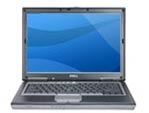 My PC test mule, which is currently a Dell Latitude D820 laptop, is the computer I run Windows software on when I’m writing Windows books. (The computer recently replaced a 4-year-old Dell Dimension tower, which was really showing its age.) This computer is loaded and it isn’t by choice. As mentioned earlier in this entry, I needed souped up graphics and a fast, modern processor (or two?) to run Vista with the Aero Glass effects. It has a CD writer but not a DVD writer, although it will read both. (This became a rather ironic thing when I downloaded the Vista beta from Microsoft’s Web site and had to use my Mac to create the DVD I needed to install Vista on my PC. It worked. Of course.) I’m hoping this computer, which cost me a small fortune, will last at least four years.
 My business/personal laptop, which is currently a 12″ PowerBook G4, is the machine I keep at home and take on the road with me. It’s used for e-mail and blogging these days, although I sometimes use it for podcasting. And, every once in a while when I need to do a presentation, I plug it into a projection monitor and do demos. I love the size and configuration of the computer, although I admit that the 40GB (really 37 GB, but who’s counting?) hard disk is a bit small. I recently had to offload a bunch of music and podcasts just to make room for some other stuff. And with only 640 MB of RAM and 867 MHz of processing power, it sometimes slows to a crawl when taking on heavy-duty tasks like sound conversion and iMovie visual effects. I also noticed that its fan starts more frequently than usual these days, like its always hot and bothered.
Why all these computers? Well, I’ve found that the best way to write about a software product is to run two computers side by side. The test mule runs the software I’m writing about. My production Mac runs the software I’m using to write — normally InDesign or Word. I perform a step on the test mule, take a screenshot if necessary (which is automatically dumped over the network to my production Mac), and write about what I see on my production Mac. Not only do I have the benefit of seeing what I’m writing about as I write, but I can keep that test mule in pristine condition. In fact, it’s common for me to reformat the hard disk and reinstall all system and application software I need to write about each time I start a new project. I really do use those two computers just for work.
I used to buy a new production Mac every two years and a new personal laptop every three years. Earlier this year, however, when my production Mac was only a year and a half old, the motherboard went on it. I faced a tough decision: fix it (at a cost of about $700) or put that money into a brand new Mac and throw this one away. But it still had a lot of life in it and there wasn’t anything really better to trade up to. So I fixed it. And life went on. It’s still serving me faithfully, running all the software I need to run. Keep in mind that I don’t update software unless I need to — for example, I’m still using Photoshop 7 (don’t laugh!) and InDesign CS (not CS2).
I can usually get 3 to 4 years out of a test mule. My old PC test mule lasted about 4 years (at least). I think the G4 might be close to 4 years old now, too. I basically keep using them until I have to upgrade — in other words, until the software I need to run needs more processing power than an old mule has.
Every once in a while, the moon and stars align in such a way that I need to buy two (or, heaven forbid) three computers all around the same time. This is one of those years. I absolutely had to get a new PC to run Vista with the Aero Glass effects. I went with a laptop because I’m trying hard to downsize my office and make it something I can take on the road. A laptop test mule is just the thing. Close it and stick it on a shelf when I’m not using it. Throw it in a bag when I decide to get some work done on the road. Why the hell didn’t I think about that before?
Of course, I do hate the keyboard on the Dell PC — it’s so awkward after years of typing on the PowerBook’s wide open keyboard. And I had to buy a wireless mouse for it, mostly because I can’t seem to find the right track pad drivers for use with Vista and the track pad tracks very slowly, no matter how I set it. But I don’t use the computer every day (and hope I never need to) so it really isn’t such a hardship. And the video on that machine really is incredible. It should be, considering it’s the newest in my stable.
As for the Dell Dimension tower…well, I still have it. It runs Windows XP and as soon as I’m done with these two Windows books I’m working on, I’ll use the laptop’s restore disk to bring it back to factory settings. That’s when I’ll be donating the PC tower, along with its ancient Gateway monitor, to my local library.
And the stars have also told me that I need a new Mac test mule. Why? I’ll need to run Leopard, the upcoming version of Mac OS X, pretty soon now. While I’m not sure whether it’ll run on a G5, I’m pretty sure it won’t run on a G4. And besides, I have to write about Boot Camp and that’s going to require an Intel processor Mac.
So that’s why I need to buy a new Mac — to run the upcoming new stuff.
 In keeping with my downsizing plan, I decided that I wanted to get a Mac laptop. After struggling and finally succeeding in understanding the differences between a MacBook and a MacBook Pro, I decided on a MacBook Pro. 15″ monitor, 1 GB RAM, SuperDrive (need to write about iDVD a bit), 100 GB hard disk. This is going to be one hot computer.
Which makes me wonder…will it replace the 12″ PowerBook G4?
Part of me says no: a test mule is a test mule. It sits in my office, turned off, waiting to run software I’m writing a book or article about. It doesn’t get personal data files; its hard disk is often reformatted and restored to factory settings — or at least the current OS.
But I admit that it’s going to be hard to keep using this G4 when I have Core Duo (is that right?) processor laptop with almost twice the RAM and more than twice the hard disk space and processor power sitting around, waiting for me to tickle its keys. I’m actually kind of hoping that I don’t like its keyboard, so I won’t want to use it more than I have to.
But there’s no way in hell that I’m buying two new Mac laptops this year.
We’ll see what happens. Need to make the big purchase first.